

Joining an Existing HOA
If your homeowners' association already uses Domee.app, connecting to your building is very quick. You don't need to search for the address or company ID — just use the onboarding leaflet with the QR code from your board, or join through the standard setup wizard.
1. Joining via QR Code from the Leaflet (Fastest Method)
If you have a printed or electronic leaflet from your HOA board, the process is simplest:
- On the sign-in screen, tap the green Scan QR code button at the bottom.
- Scan the main QR code from the leaflet with your camera.
- The app immediately redirects you to the registration screen — at the top you will see your HOA's name pre-selected.
- Choose your registration method (via Google, Apple or enter Email and Password) and register.
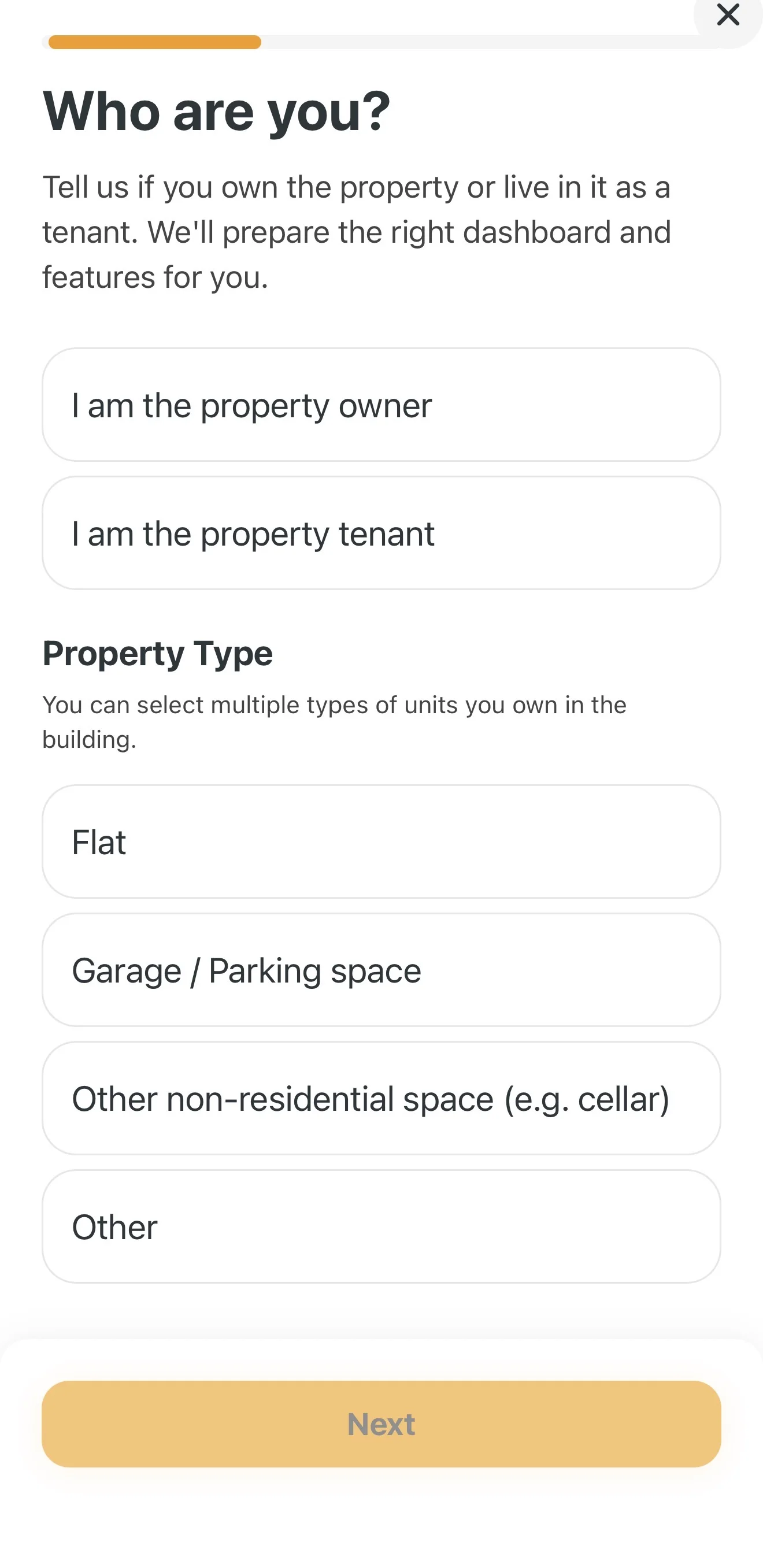
- On the Who are you? screen, select I am a property owner (or tenant) and in the Property type section you can check both Apartment and Garage / Parking space at the same time.
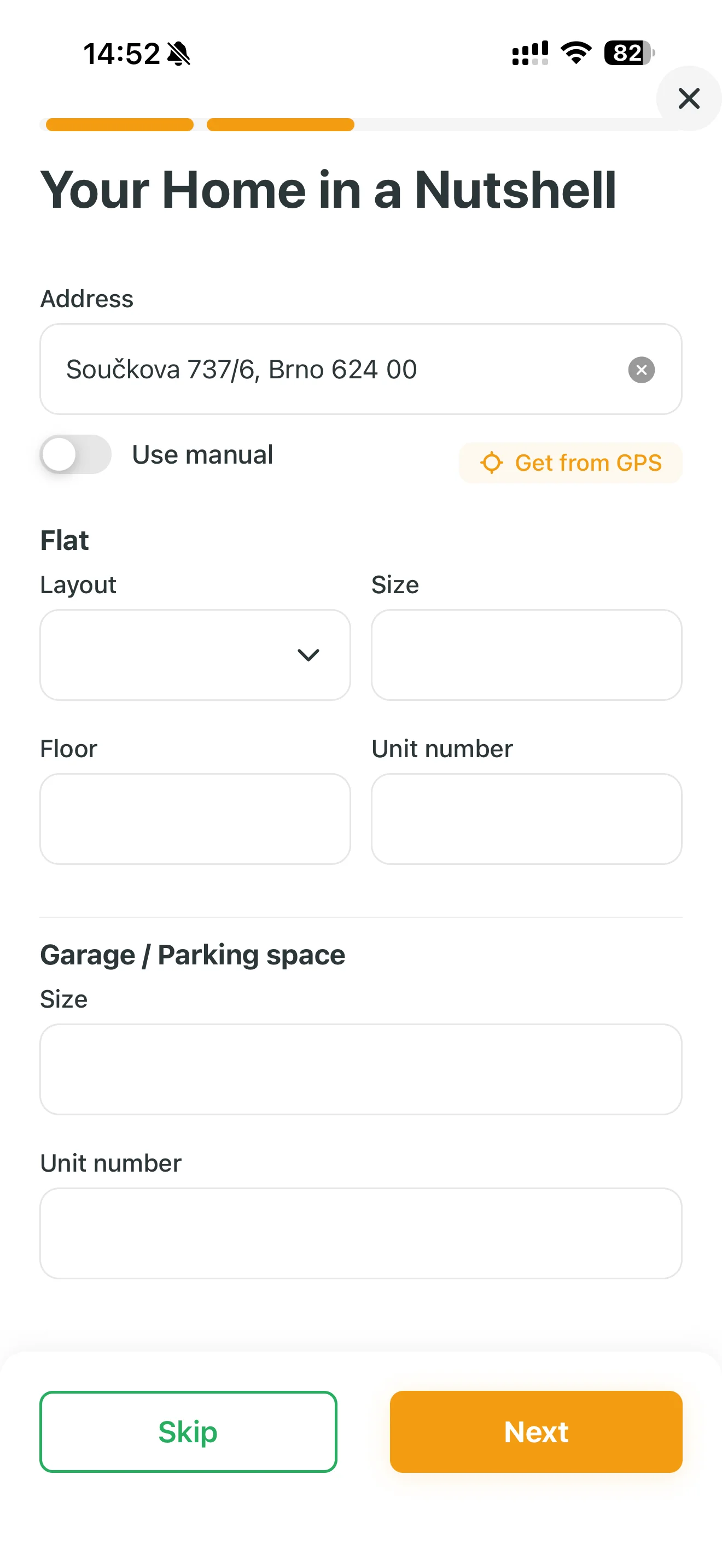
- On the next Your home at a glance screen, fill in the details (unit numbers, floor, area) and tap Next.
Automatic submission: Once you save the form, the app uses the scanned QR code to automatically send an approval request to your HOA board. You don't need to enter the address or search for the association.
2. Finding and Joining Your HOA (If You Don't Have a QR Code)
If you don't have a leaflet with a QR code, you can connect through the standard setup wizard:
- Register in the usual way using the Create an account button on the home screen.
- On the Who are you? screen, select your role and unit types (e.g. Apartment + Garage / Parking space).
- In the Your home at a glance section, fill in your address using the autocomplete or GPS and enter the unit details.
- When asked "Who manages your building?", select I am not on the HOA board (owner only).
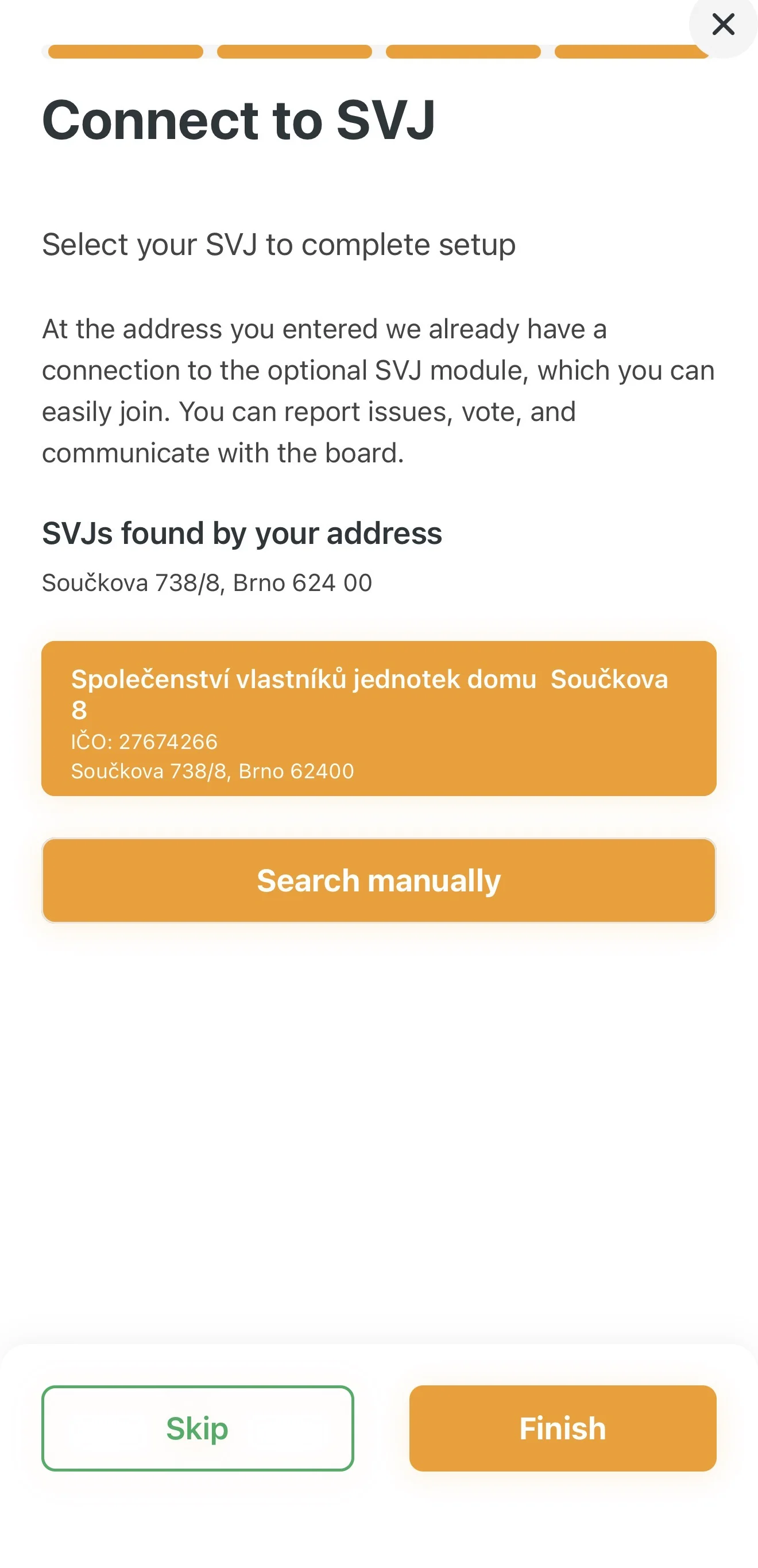
- Based on the address you entered, the app searches the database. In the Join HOA section, select your HOA from the list and tap Finish.
3. Waiting for Approval
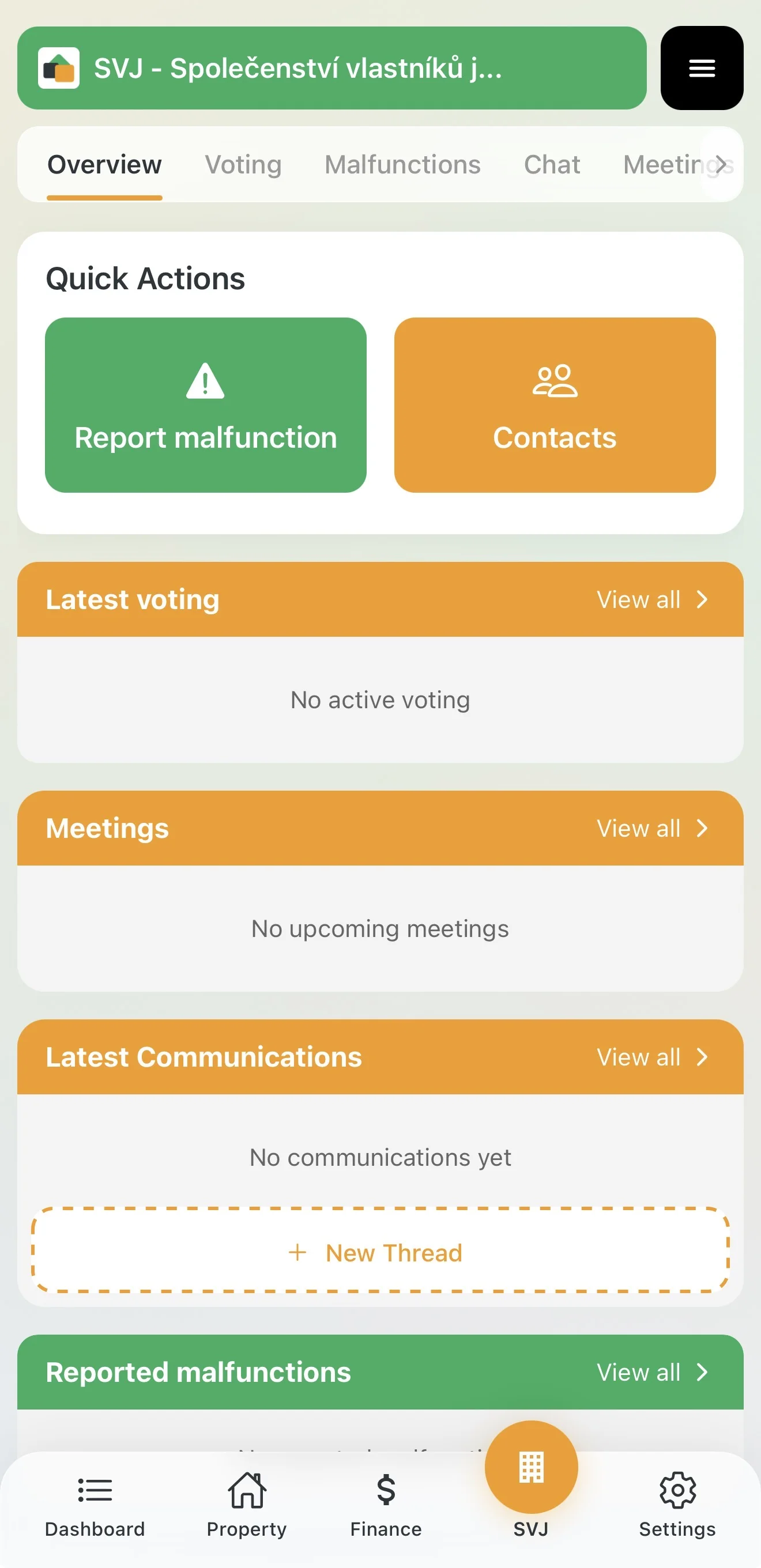
After submitting your request you land on your dashboard, but access to sensitive building data is temporarily restricted for security reasons:
- Request status: You will see a Request Pending Approval card on the dashboard.
- Approval process: Your request has been sent to your HOA board members, who must confirm you are the owner of the unit.
- Restricted mode: Until the request is approved, the HOA section only shows information about the pending request — you cannot yet vote or view building documents.
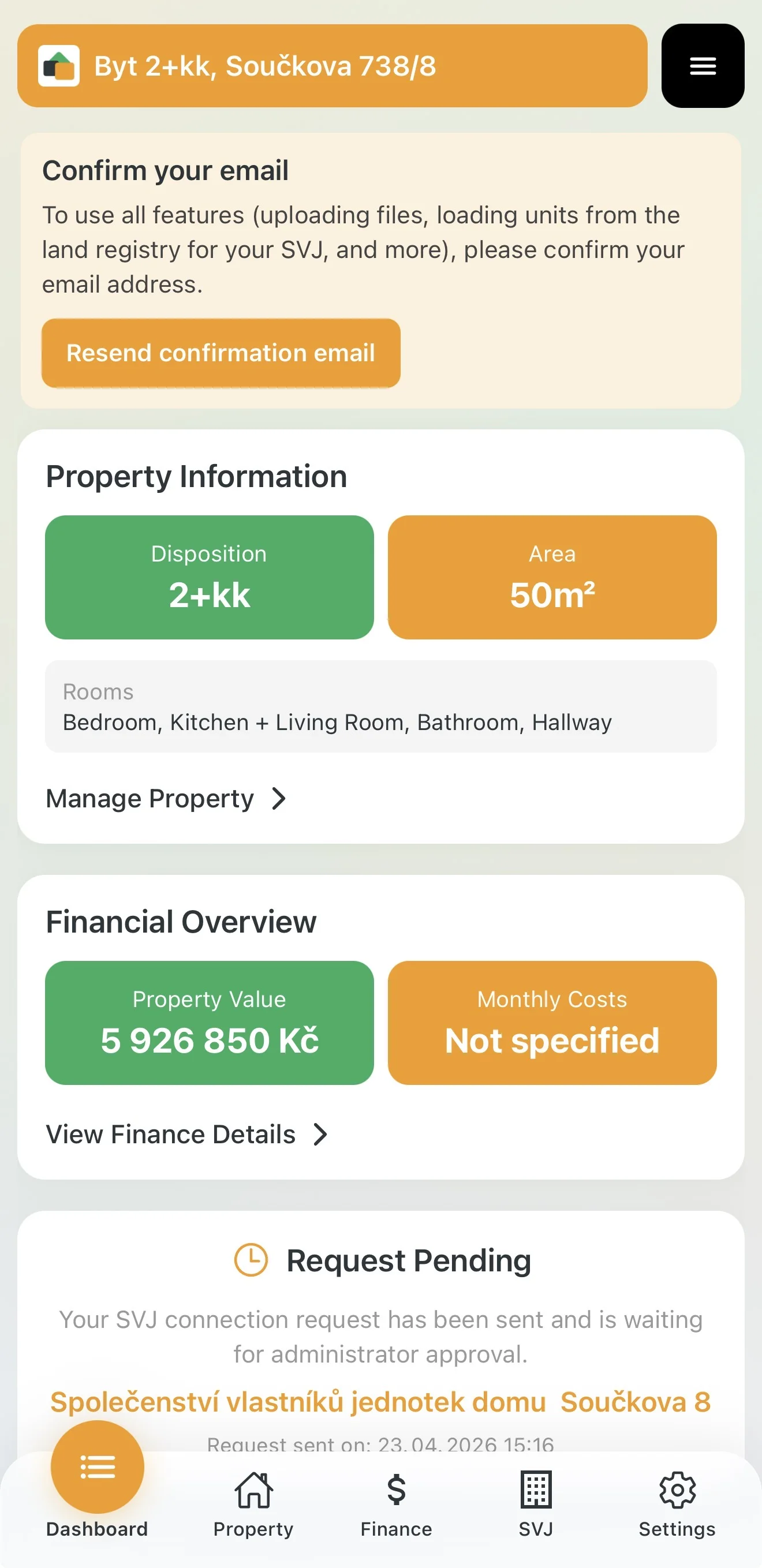
Tip: While you wait, confirm your email address (orange card at the top) so you can start uploading documents to your apartment or garage immediately after approval.
4. What You Get After Approval
Once the board approves your request, the HOA section (building icon in the bottom menu) becomes fully active. You gain access to:
- Structured Chat — threaded communication with the board and neighbors, no more group emails.
- Voting — secure online voting and legally valid per rollam directly from your phone.
- Issues — report problems in the building and track the progress of repairs.
- Meetings — overview of planned meetings and their materials.
- Documents — secure shared storage for minutes, bylaws and important contracts.
The app notifies you when your request is approved.