

Chat – Communication in Domee.app
Domee.app lets you easily communicate with others in your building without sharing your phone number or email. Everything happens securely within the app.
1. Your Privacy Settings
You have full control over who can send you private messages:
- Go to Settings (the gear icon in the bottom menu).
- Tap Edit Profile next to your name.
- You will find the toggle Do not allow other users to contact me via chat.
- Off: Other residents can send you a private message.
- On: No neighbors can contact you.
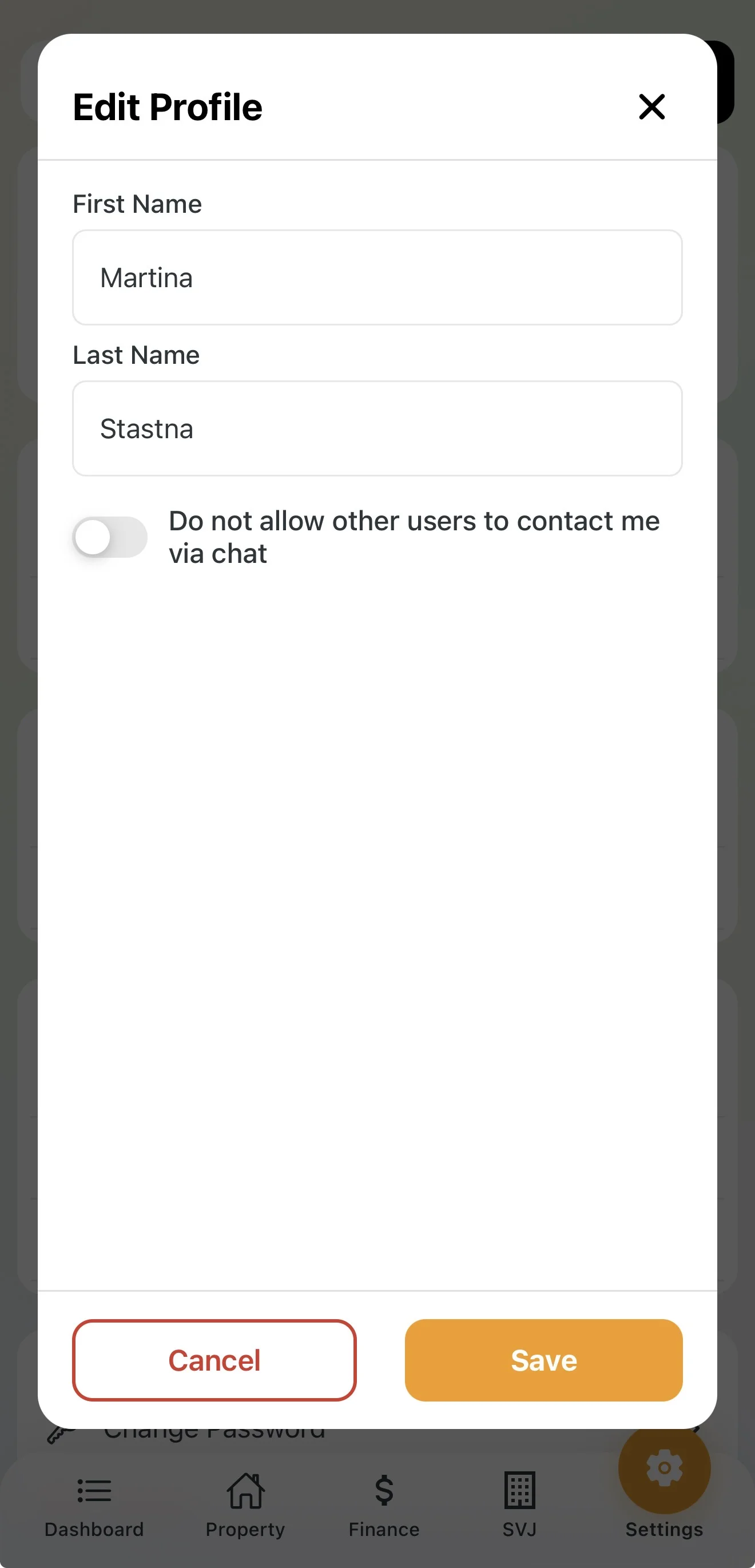
Important: Even if you block private chat, your HOA board can always write to you. This is necessary for handling operational matters and emergencies.
2. Receiving Messages and Notifications
When someone writes to you or the board publishes an important announcement:
- Alert: If push notifications are enabled, the message appears directly on your phone screen.
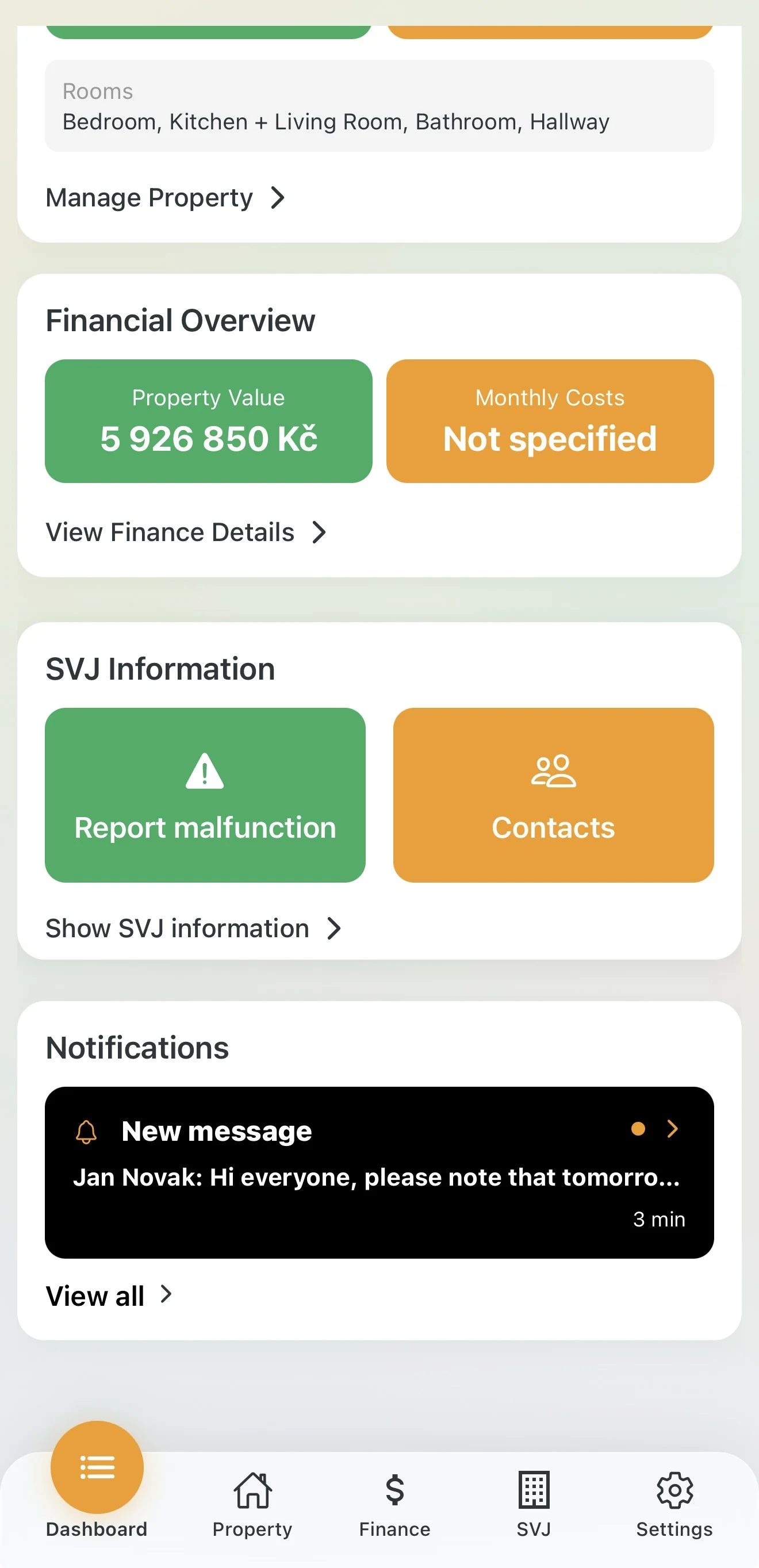
- Dashboard: On the home screen in the Notifications section you will see new messages. Tap a notification to go straight to the chat.
- HOA module: Latest messages are also in the HOA section under the Overview tab or directly in the Chat tab.
3. Using Chat
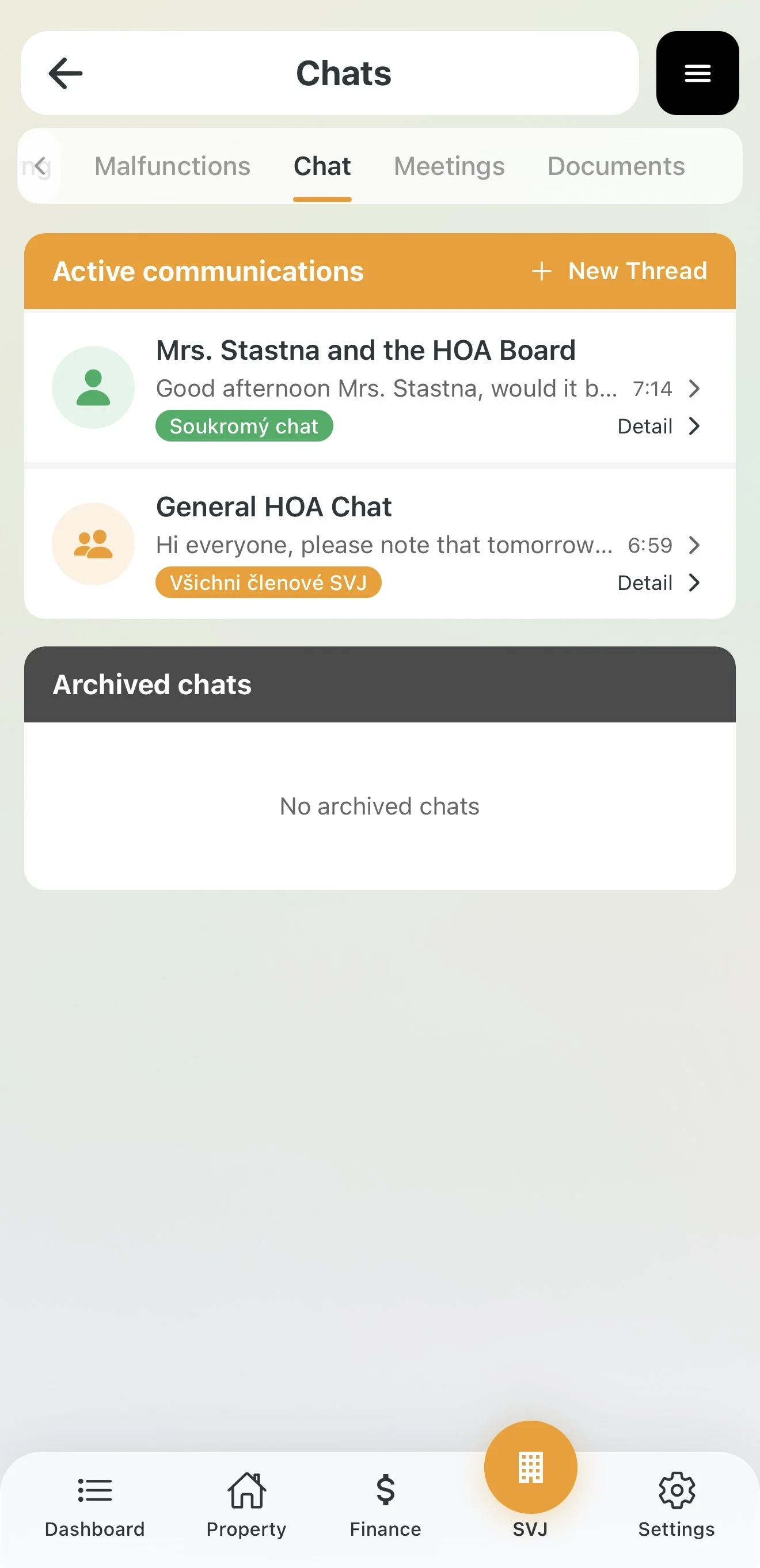
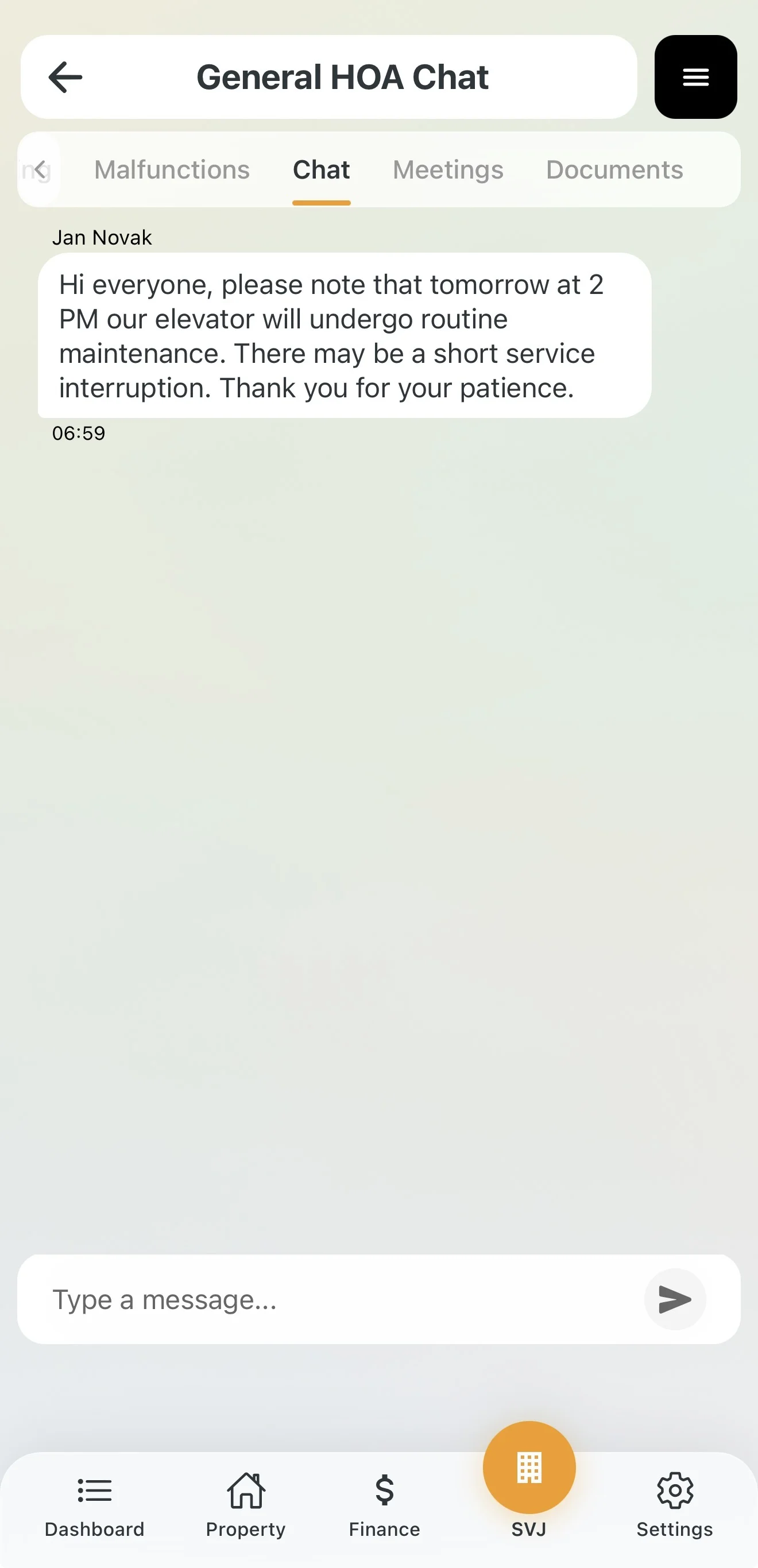
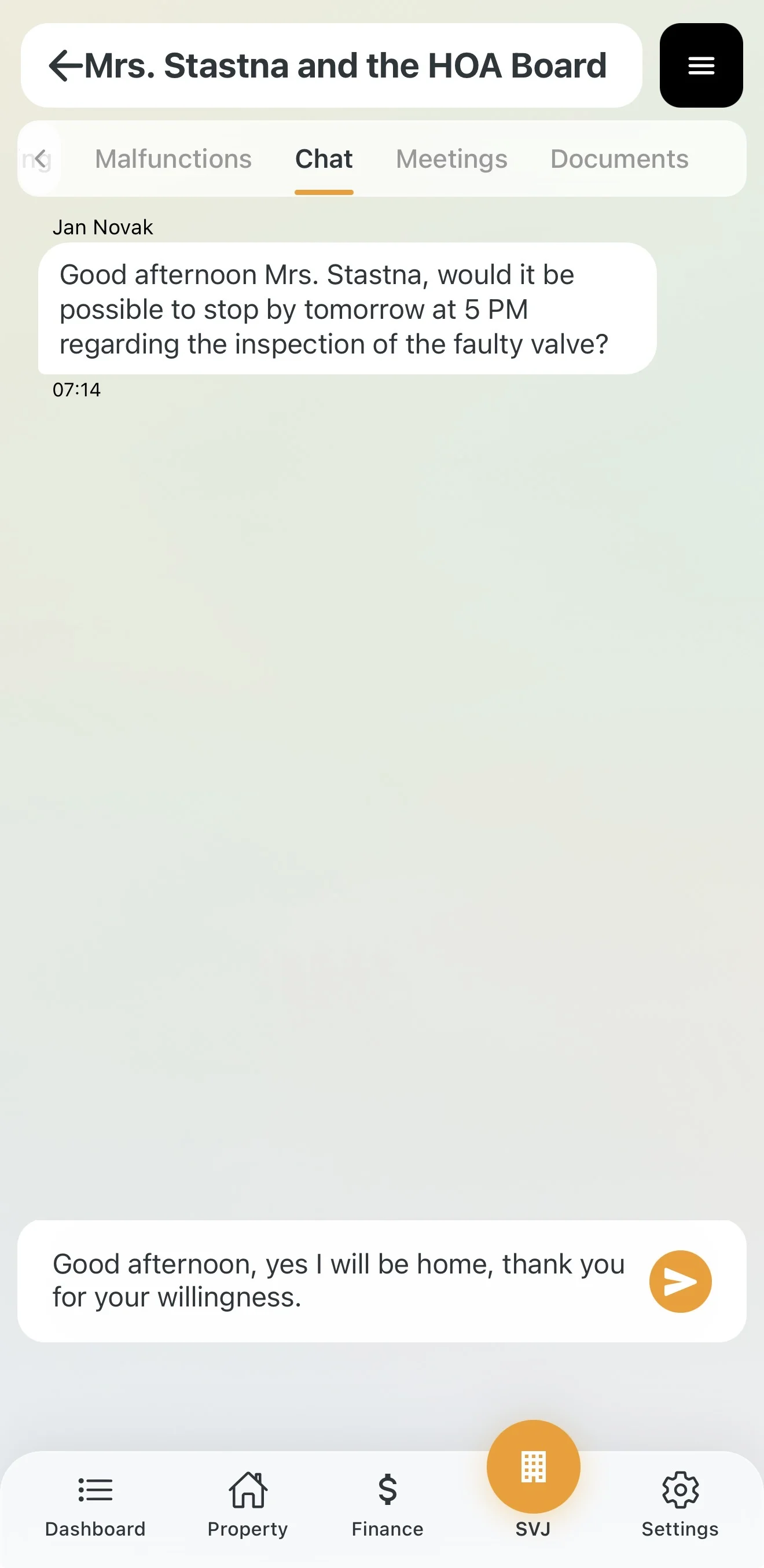
In the Chat tab you see all your conversations with color-coded labels:
- All HOA members (gold): A public thread visible to the entire building.
- Private chat (green): A conversation only between you and another person (or the board).
How to Start a New Conversation
If you want to contact someone (and they allow it):
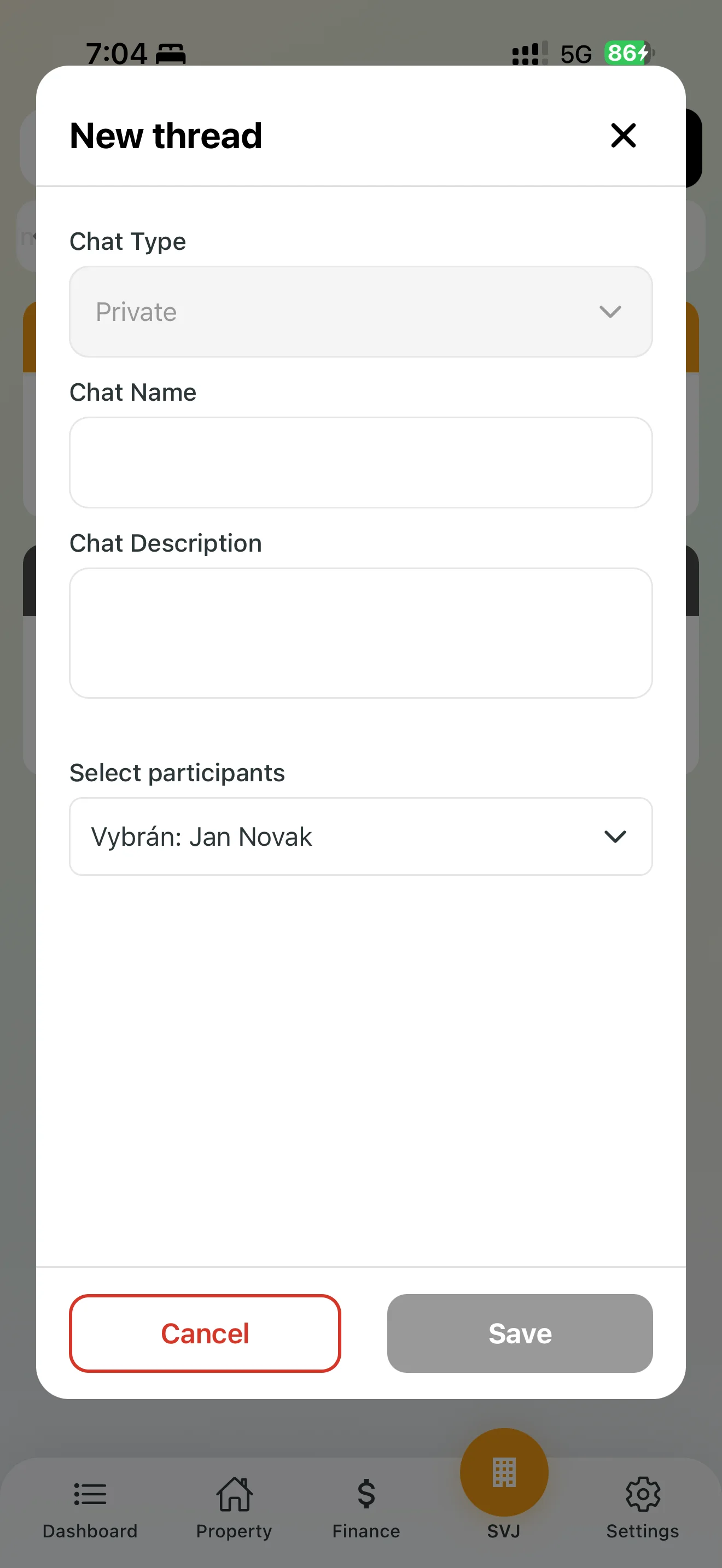
- In the Chat tab, tap + New Thread.
- Select a recipient from the list of residents.
- Enter a name and message content, then confirm with Save.
4. What to Do If You Can't Write in Chat?
It may happen that in some chat you lose the ability to send messages and the text input field disappears entirely. There are two possible reasons:
- Global read-only mode: The HOA board can set a specific chat to serve purely as a one-way information channel — for example for announcements about planned shutdowns or emergencies. In such a thread, discussion is disabled for all residents in the building.
- Individual user restriction: In cases of inappropriate posts or repeated rule violations, the board has the right to act against a specific user. They can set your status to Read only (you can still see messages but cannot reply), or in extreme cases exclude you from the chat or specific groups — in that situation the conversation will disappear from your app entirely.
5. Archived Chats
If a conversation is no longer active, it does not disappear. You will find it in the Archived Chats section below. This keeps your active communication clean and organized.
Tip: If you are dealing with a technical problem (e.g. a dripping riser), we recommend using the Report Defect feature from the dashboard instead of general chat — communication will be clearer and directly tied to the specific repair.