

How to Vote Online (Per Rollam)
With Domee.app you no longer need to attend every HOA meeting to have your say. You can vote online directly from your phone. The whole process is secured so that your vote is legally valid and undeniable.
1. Notification of a New Vote
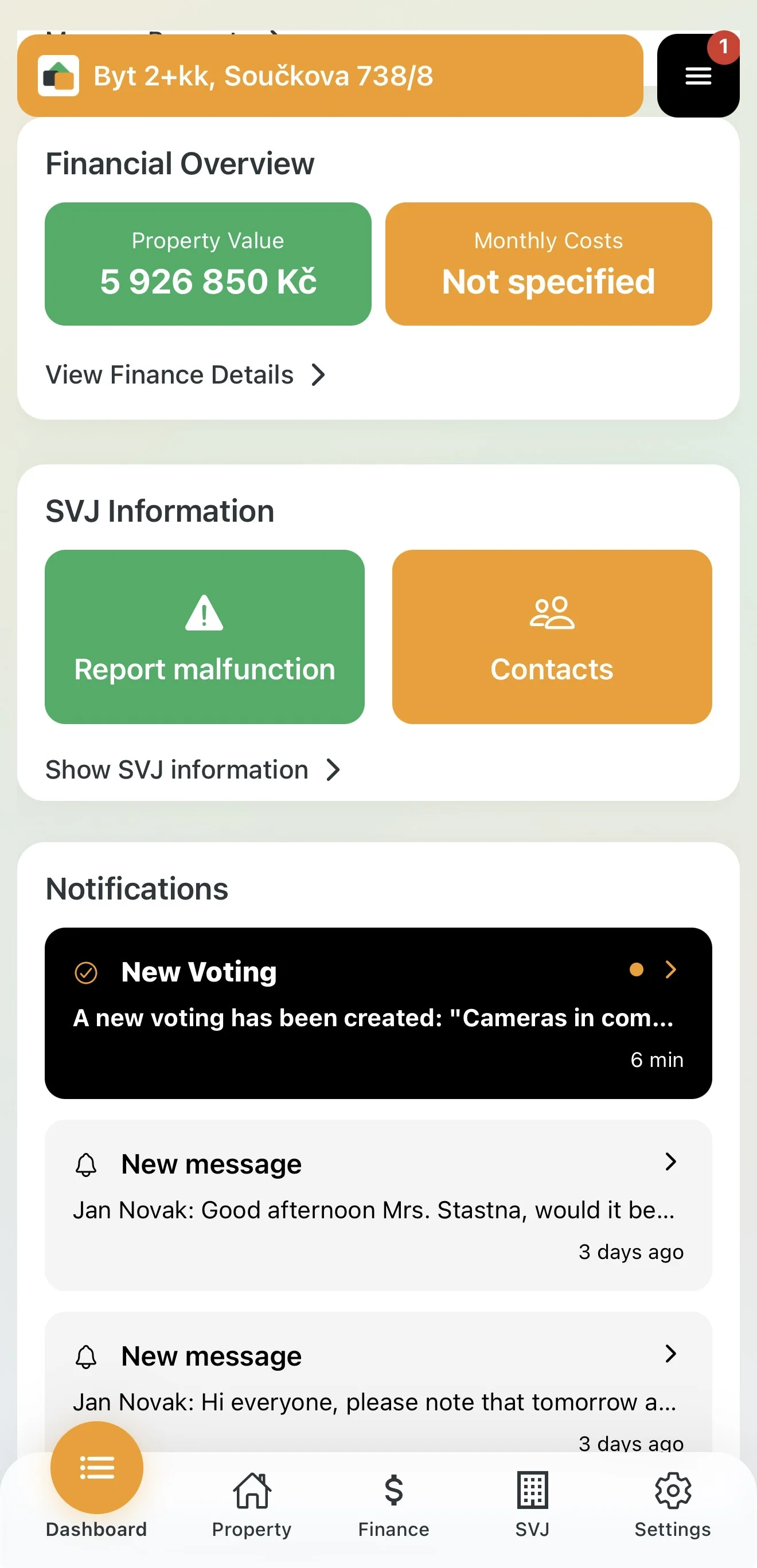
As soon as the HOA board launches a new vote, the app notifies you immediately:
- Notification: A push alert arrives on your phone (e.g. "A new vote has been created: Cameras...").
- Dashboard: In the Notifications section on the home screen you will see a message about the vote. Tap it to go straight to the detail.
- HOA module: You can also find any active vote in the HOA section under the Voting tab.
2. Casting Your Vote
Before submitting your vote you can review all supporting materials:
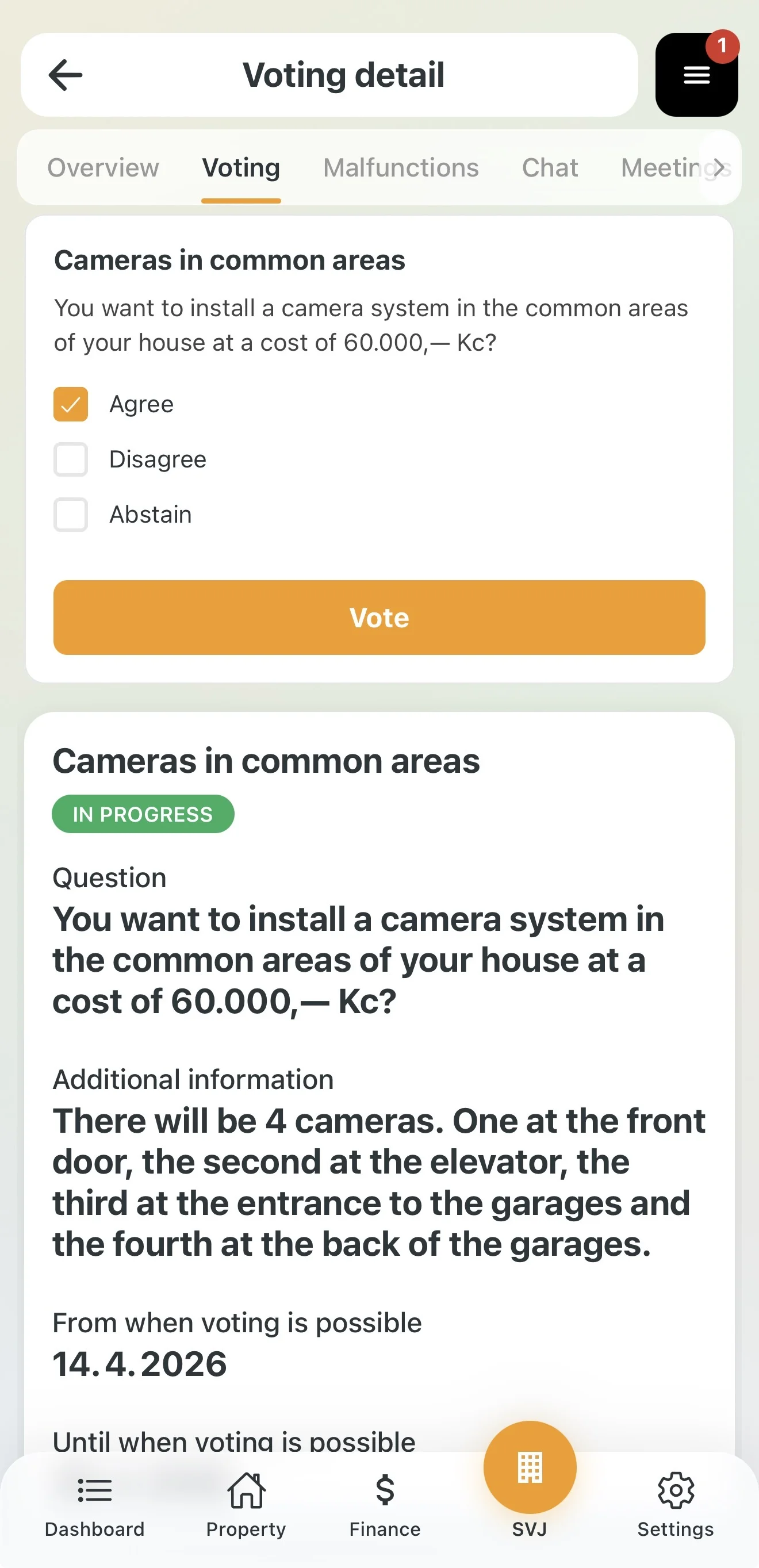
- Vote detail: You will see the exact wording of the question, additional information from the board and any uploaded documents (e.g. PDF price quotes).
- Select your option: Choose one: I agree, I disagree, or I abstain.
- Confirm: Tap the orange Vote button.
3. Two-Factor Verification
To ensure no one can vote in your name, the system requires confirmation with a code:
- After tapping Vote, a Verification window opens.
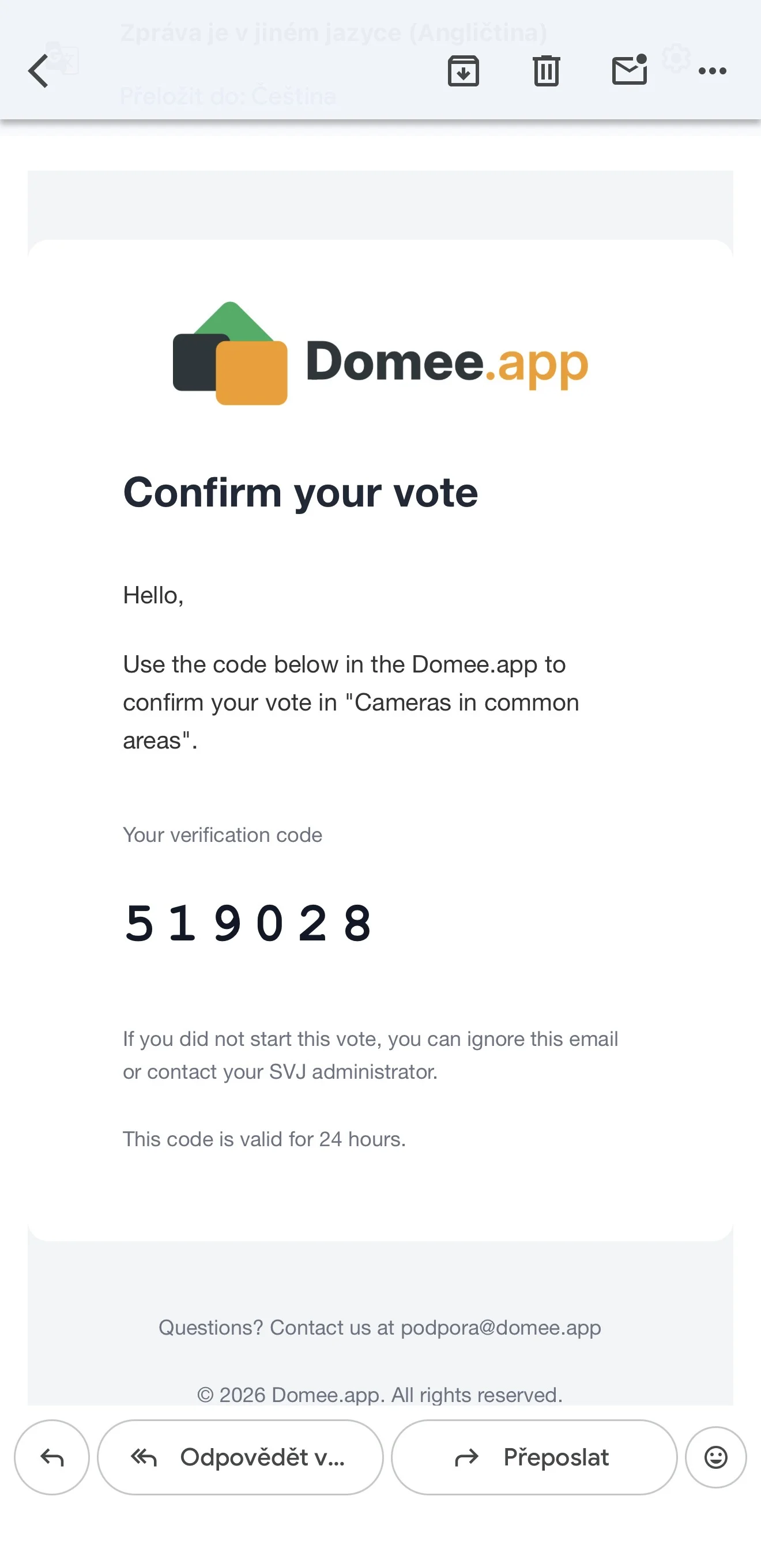
- Check your email: A six-digit code from Domee.app has just been sent to your registered address.
- Enter the code: Type the code from the email into the fields in the app.
- Vote: Tap the Vote button.
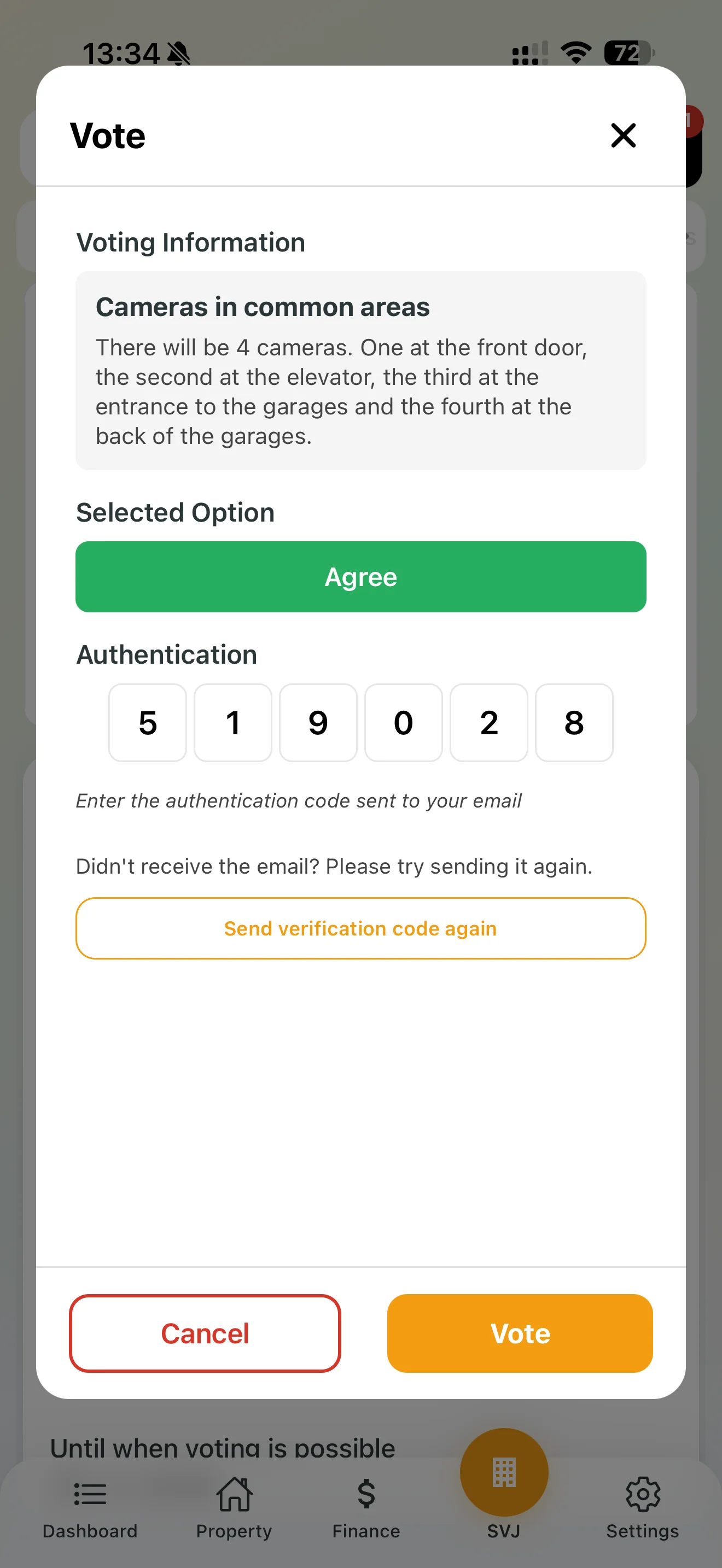
Info: The verification window shows all units you are voting for (e.g. flat + garage). The system automatically combines the weight of your ownership shares from the Land Registry.
4. Results and History
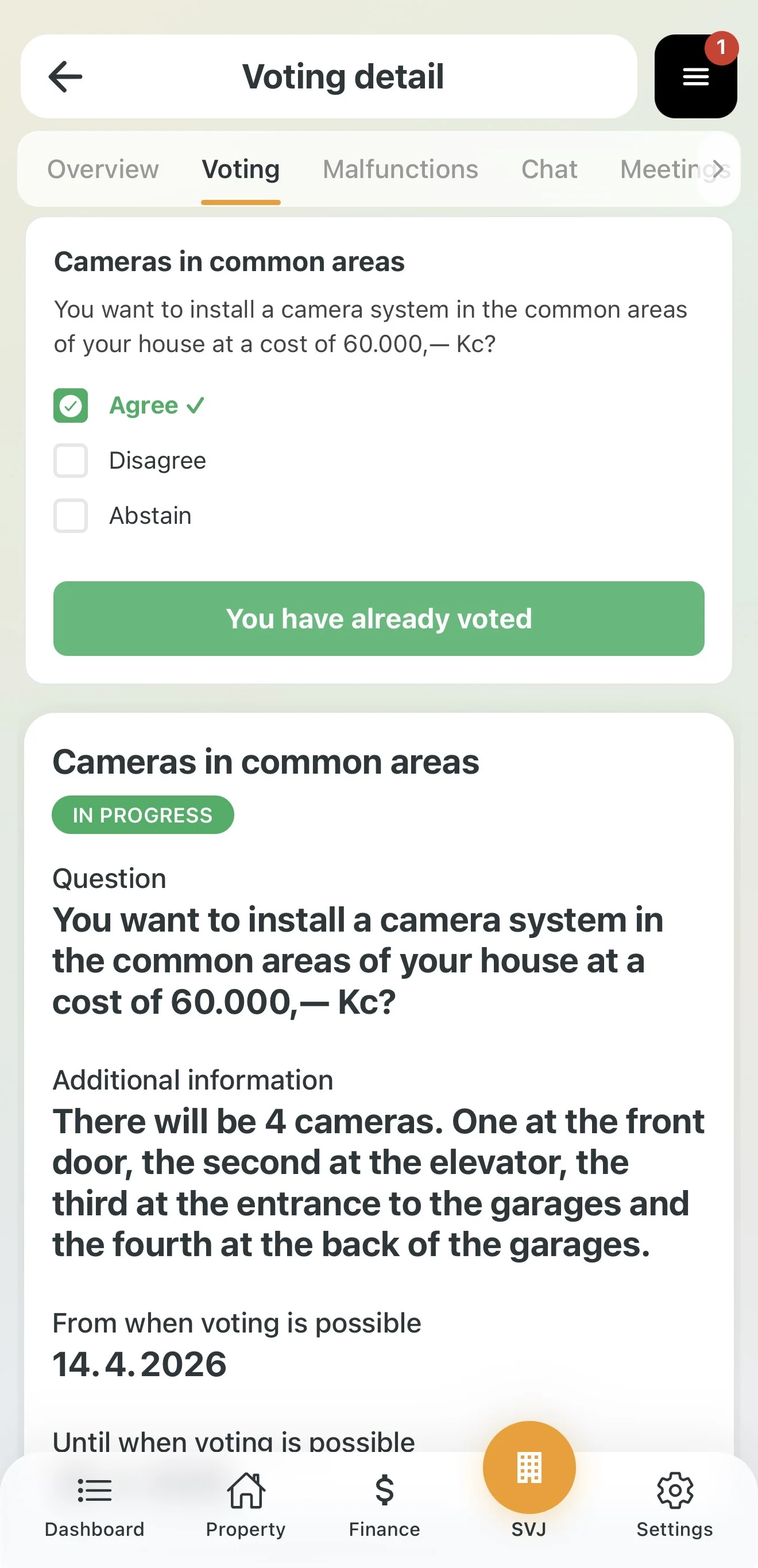
- Done: After successfully submitting you will see a green tick next to your choice and the text "You have already voted". Your choice can no longer be changed.
- Interim results: If the HOA board has enabled result display, you will see a chart in the vote detail showing how each option is performing.
- History: After the voting period ends, the vote moves to the Past Votes section where you can always look up how any decision turned out.
Tip: If the email with the code has not arrived within 2 minutes, check your Spam or Promotions folder.