

HOA Dashboard – Quick Actions
The dashboard in Domee.app is your main overview of building activity. In the HOA Information section you'll find important contacts and can report defects in common areas directly.
1. Quick Contacts
Thanks to the dashboard contacts, you no longer need to search for phone numbers on hallway notice boards or in old emails.
Tap the Contacts button to see the list of important people and companies made available by your HOA board — board members, the building manager, or contracted service providers (plumber, elevator service and more).
Contacts are managed by the HOA board. If a contact is missing or out of date, contact your board.
2. How to Report a Defect
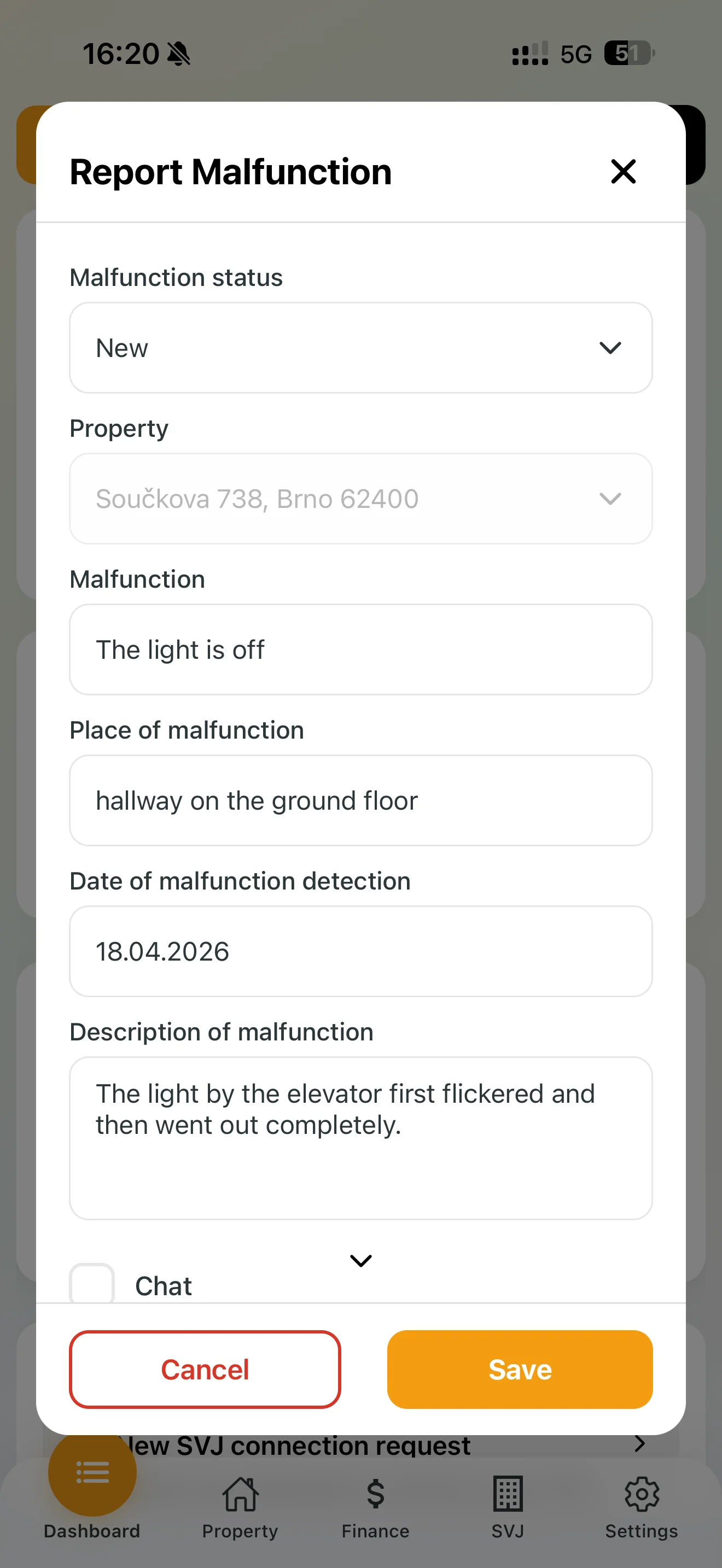
If you come across a problem in the building (e.g. a light not working, entrance doors not closing), report it directly from the dashboard:
- Tap the Report Defect button.
- Property: If your HOA manages multiple buildings, select the correct address.
- Defect and location: Briefly name the problem and specify where it is (e.g. "Ground floor hallway").
- Description: Describe the issue in more detail (e.g. "The light near the elevator flickered and then went out completely").
- Date: Filled in automatically, but can be adjusted if reporting retrospectively.
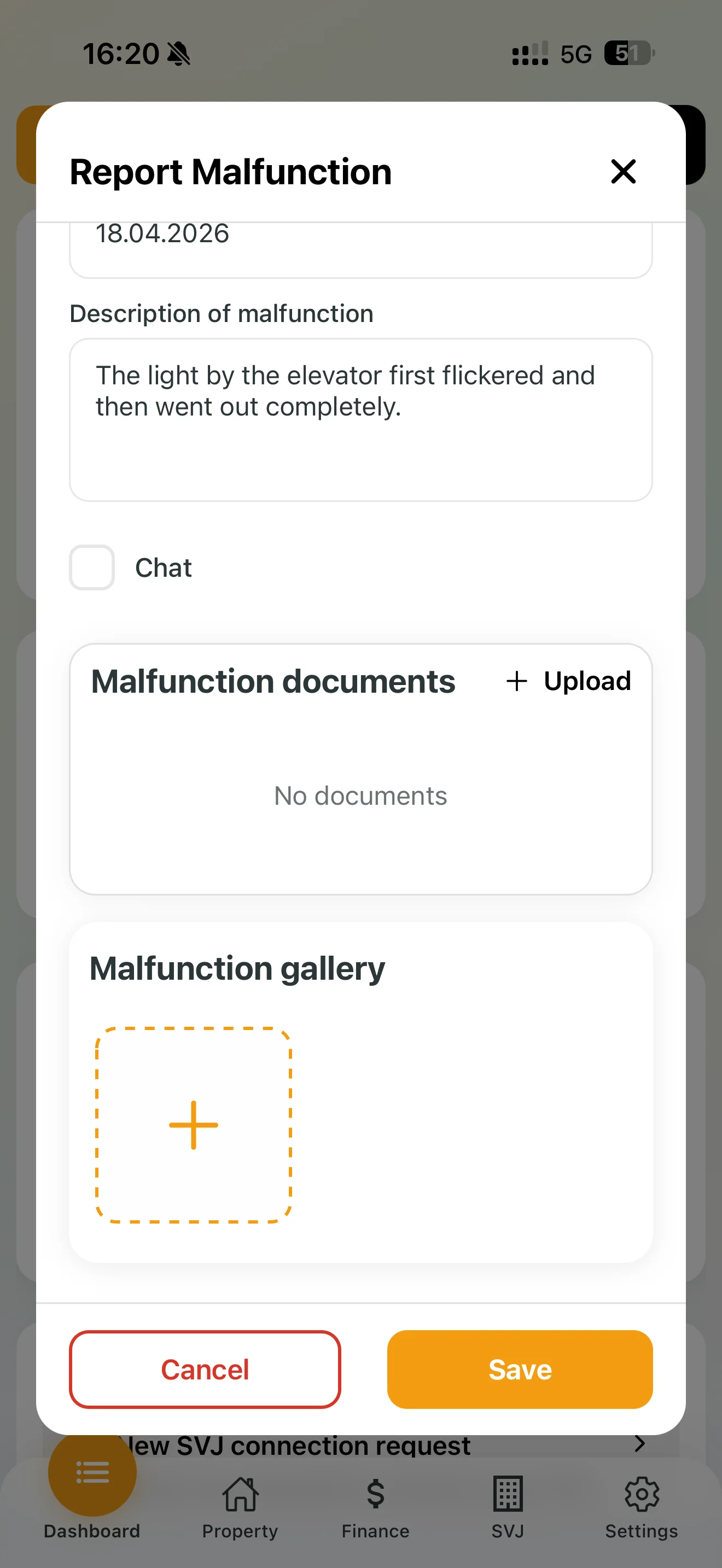
- Defect gallery: Photograph the problem with your phone. A photo helps the board assess the extent of damage and order the right repair person faster.
- Tap Save.
3. What Happens After Reporting?
Once you save the defect, the HOA board receives a notification.
- Status tracking: You can see which stage the repair is at — New, In Progress, Resolved or Closed. Status changes are made by a board member.
- Defect chat: If clarification is needed, the board can open a chat on the defect. You'll receive a notification for every new message.
Tip: The more detailed your description and photo, the faster the board can resolve the defect.