

Financial Overview & Cost Management
The Finance module gives you an instant overview of your property's value and monthly running costs — all in one place, whether you live in the apartment or rent it out.
1. How to Access Finance
You can open the Finance module in two ways:
- From the main dashboard by tapping Show Finance Details in the Financial Overview card.
- Directly from the bottom menu by tapping the Finance ($) icon.
2. Property Value
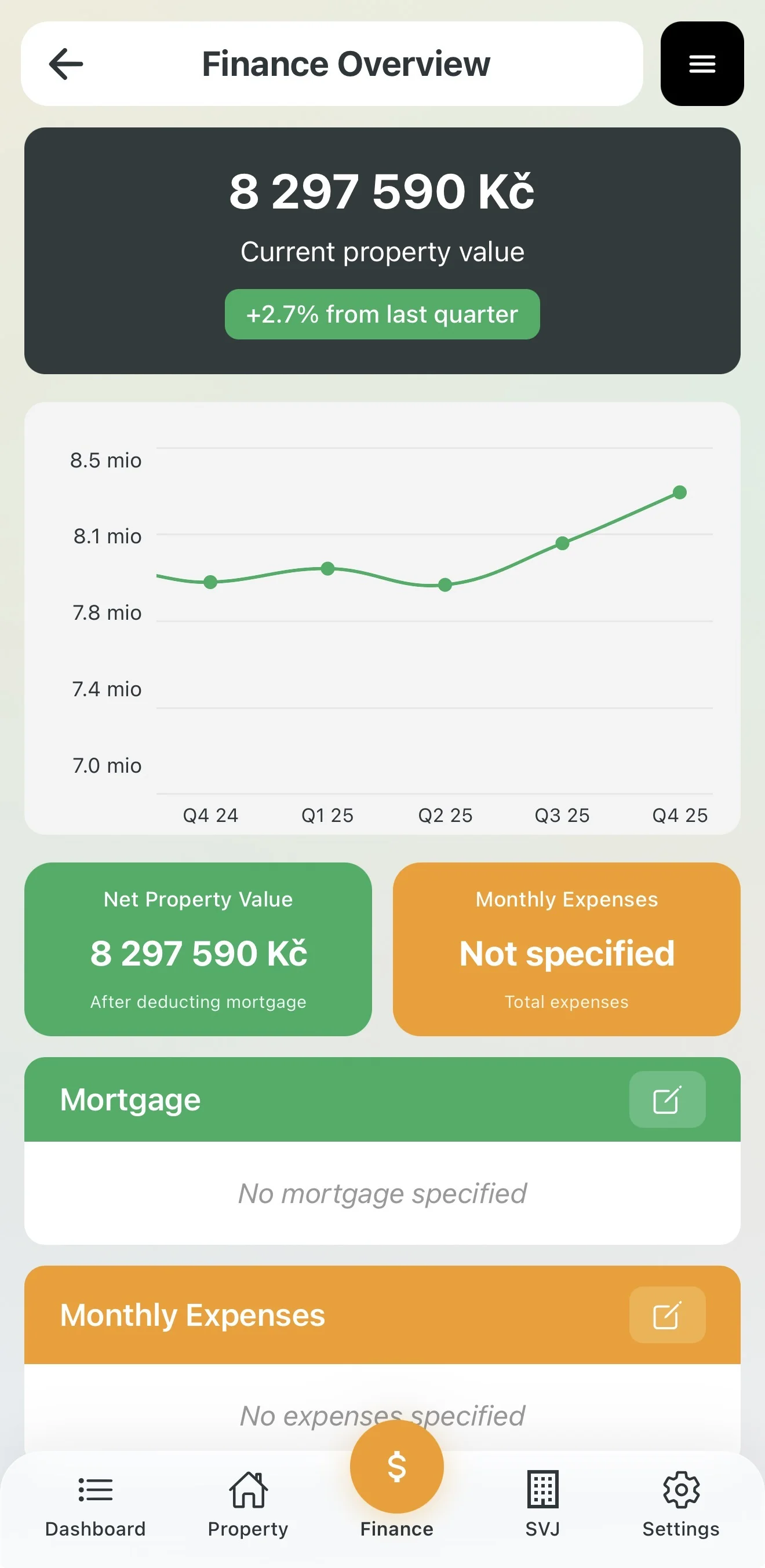
The app automatically estimates the current market value of your property based on market data.
- The top section shows a price history chart.
- The Property Value item (green card) displays your net asset value after deducting the remaining mortgage.
3. Mortgage & Monthly Costs
To get a full picture of your expenses, fill in the Mortgage and Costs sections:
Mortgage Setup
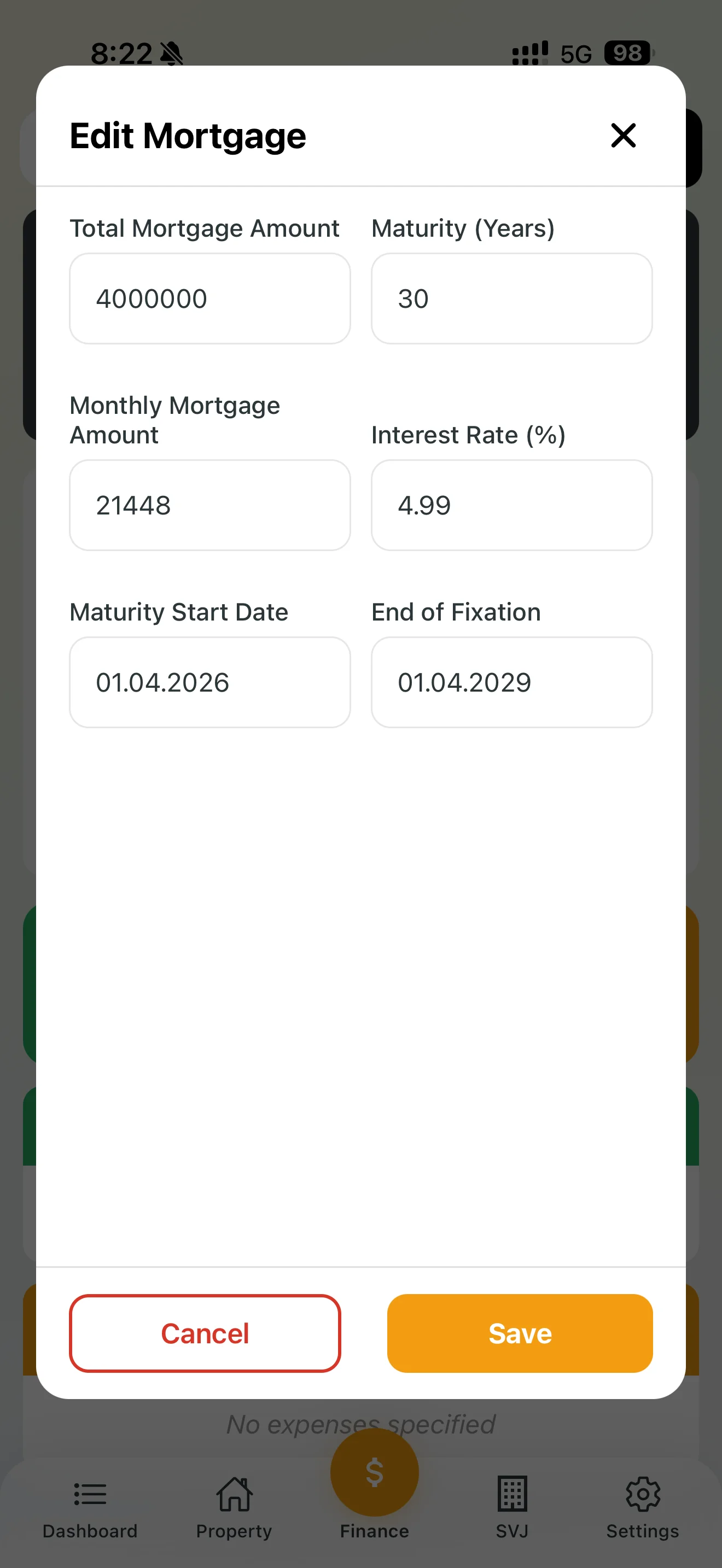
Tap the pencil icon in the Mortgage section and enter:
- Total loan amount and repayment period.
- Monthly payment and interest rate.
- Fixed-rate end date (the app can remind you in advance).
Monthly Costs
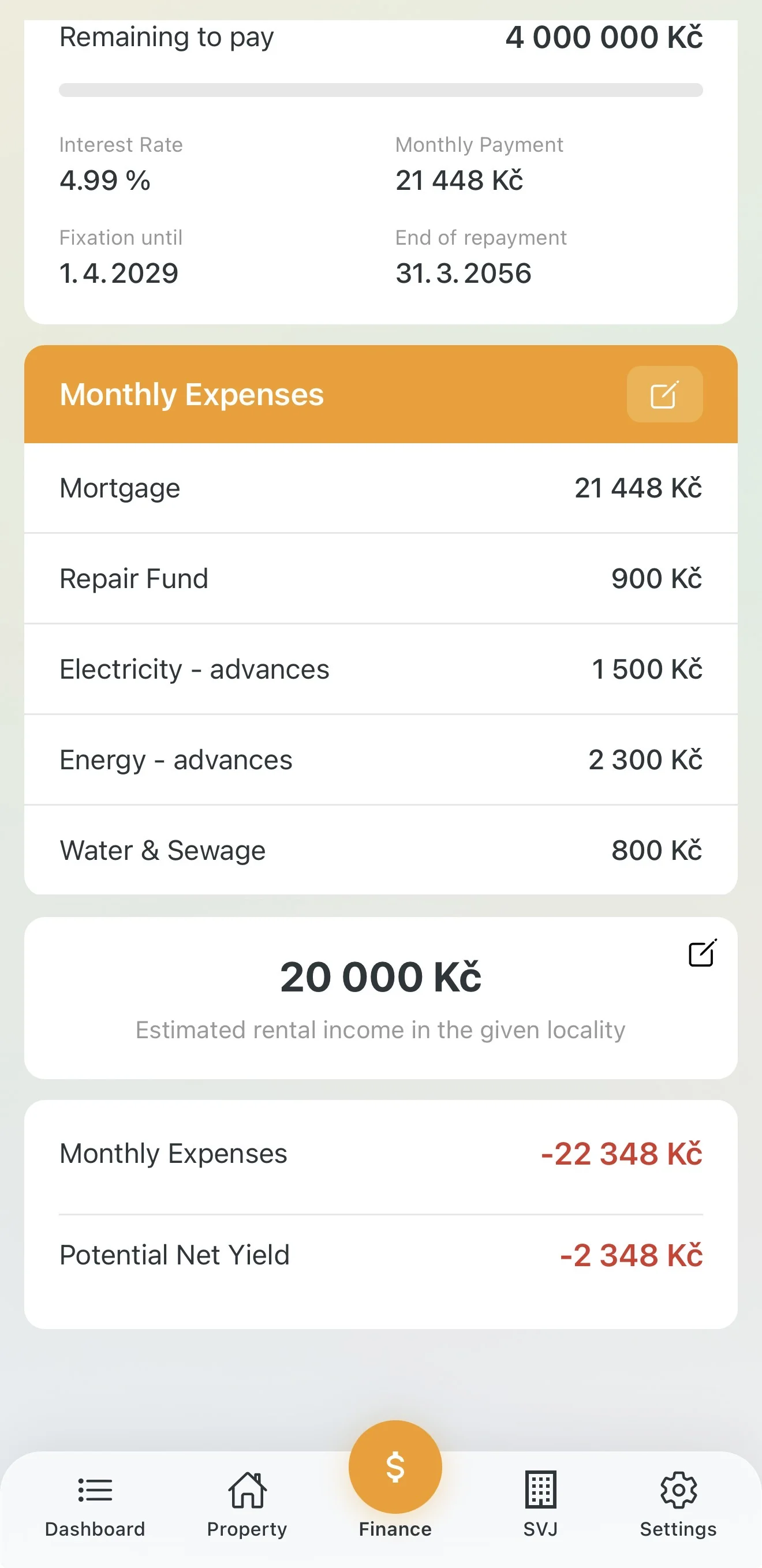
In the Monthly Costs section, define your regular apartment-related payments:
- Repair fund (HOA payment).
- Energy deposits (electricity, gas).
- Water and sewage.
Once filled in, the top orange card shows your total monthly costs.
4. Rental Yield (Investor View)
If you rent out the apartment instead of living in it, Domee.app calculates your profitability:
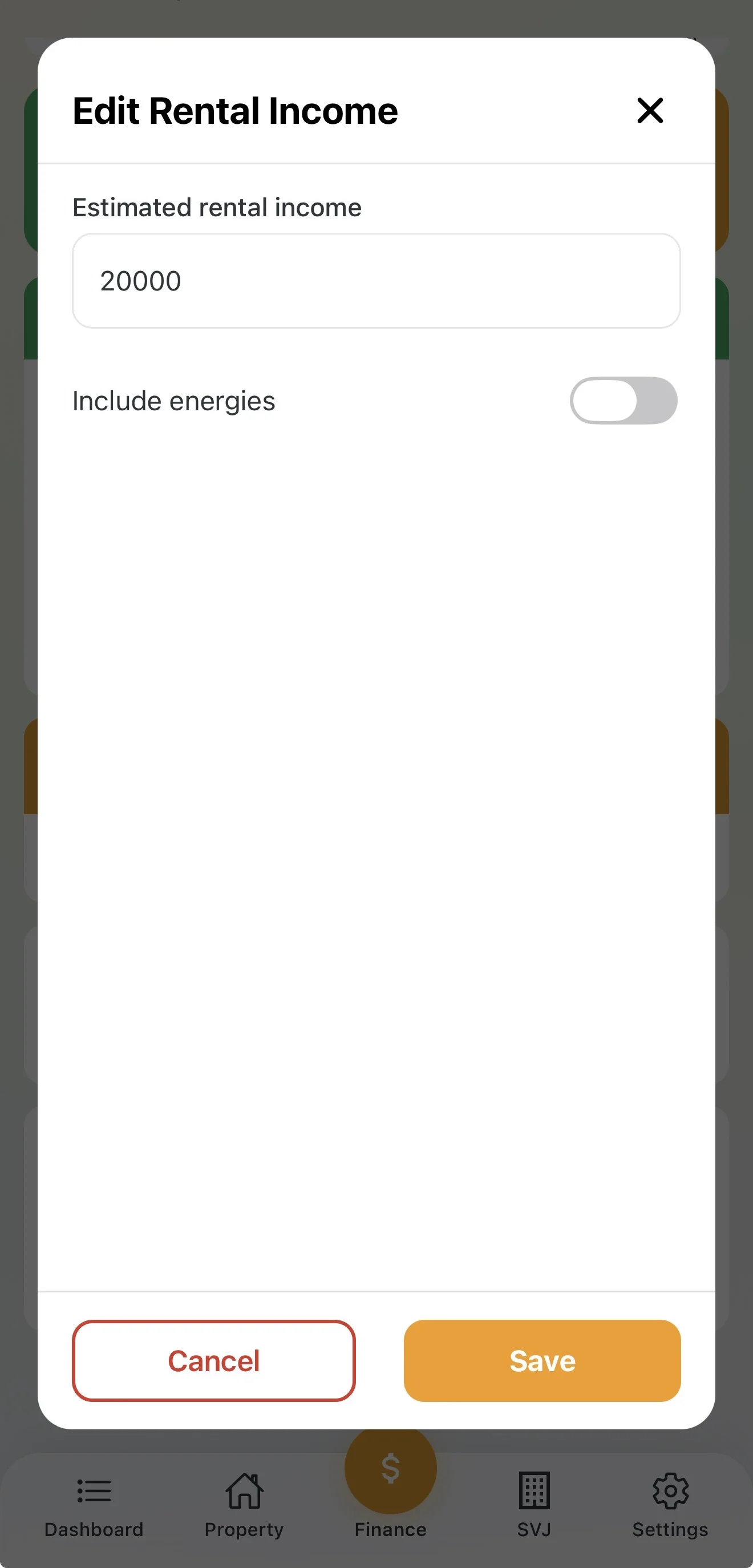
- In the Rental Income section, tap the edit icon.
- Enter the rent amount you receive from the tenant.
- Include utilities: Use the toggle to choose whether rent includes utilities or they are paid separately.
- Potential net yield: The app automatically subtracts monthly costs from income and shows your real monthly profit (or loss) from the property.
Tip: Keeping your energy deposit amounts up to date in this section helps you avoid surprises at the annual settlement from your HOA or energy suppliers.