

Issue Management
Effective defect resolution is one of the board's most important responsibilities. Domee.app keeps everything under control — from a burnt-out bulb to a lift breakdown — without constant phone calls.
1. Receiving Defect Reports
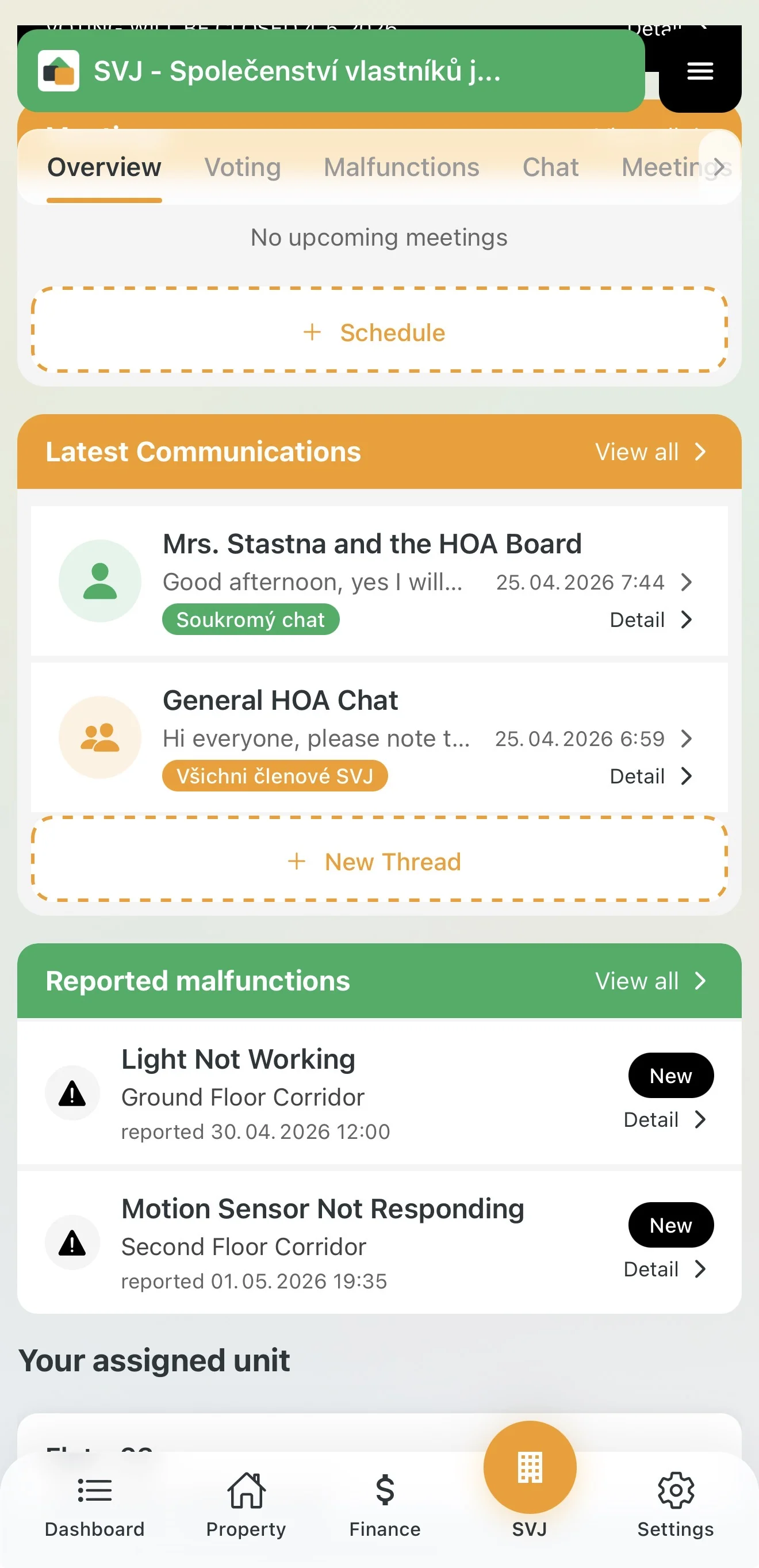
As soon as an owner reports a defect, the system notifies you immediately:
- Notification: A push alert arrives on your phone. A summary of all new events is available on the home Dashboard.
- HOA module: In the Overview tab you will see the "Reported Issues" section with the most recent ones.
- Issue list: The full list of all reported problems is in the HOA module under the Issues tab.
2. Managing Issue Status
You can (and should) update the status of each defect so residents know work is underway:
- Open the Detail of the issue.
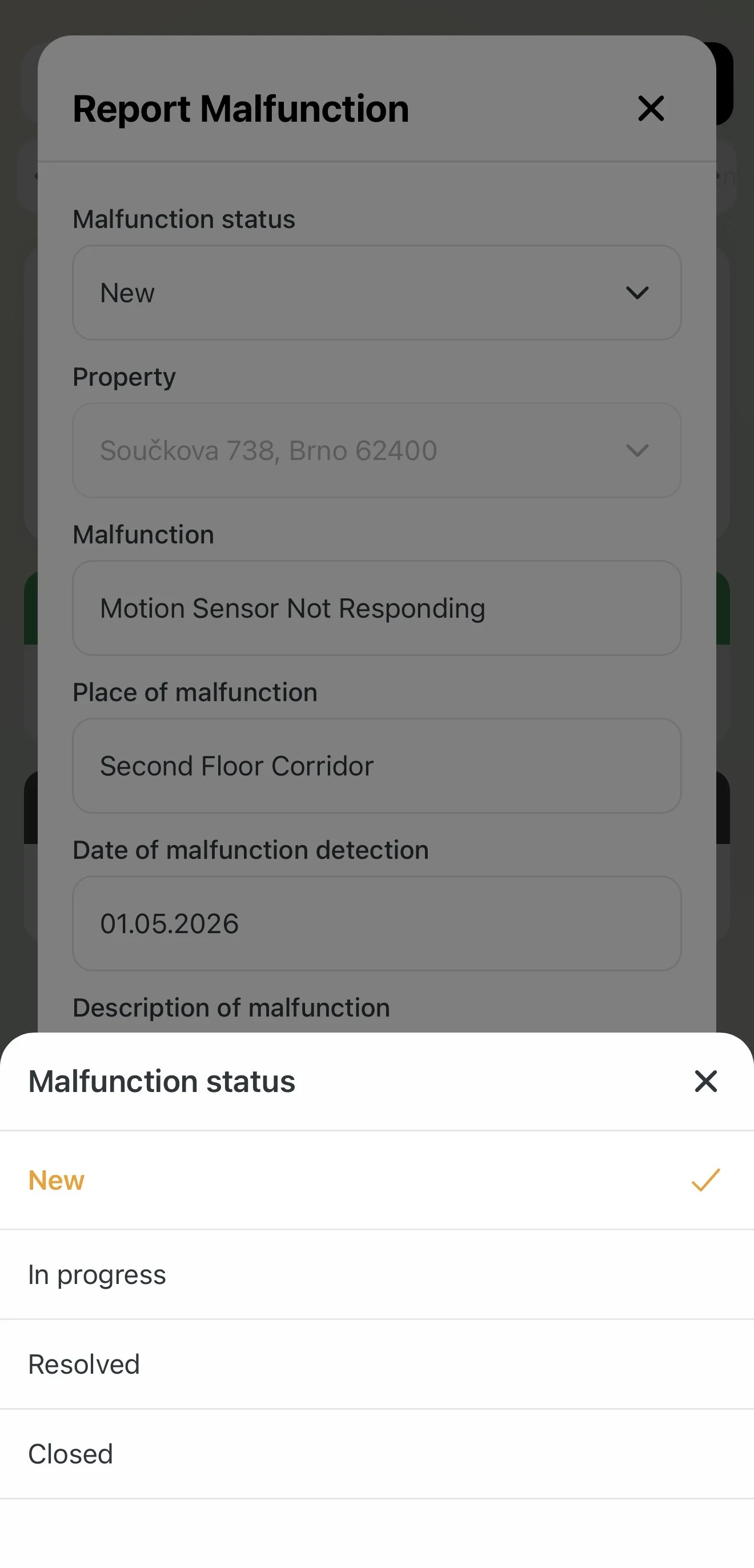
- Tap the edit icon (pencil) next to the Issue Status field.
- Select the appropriate status:
- New: The issue has just been reported.
- In Progress: The repair is underway (e.g. a contractor has been booked). The label turns orange.
- Resolved: The repair is finished.
- Closed: The issue is administratively settled.
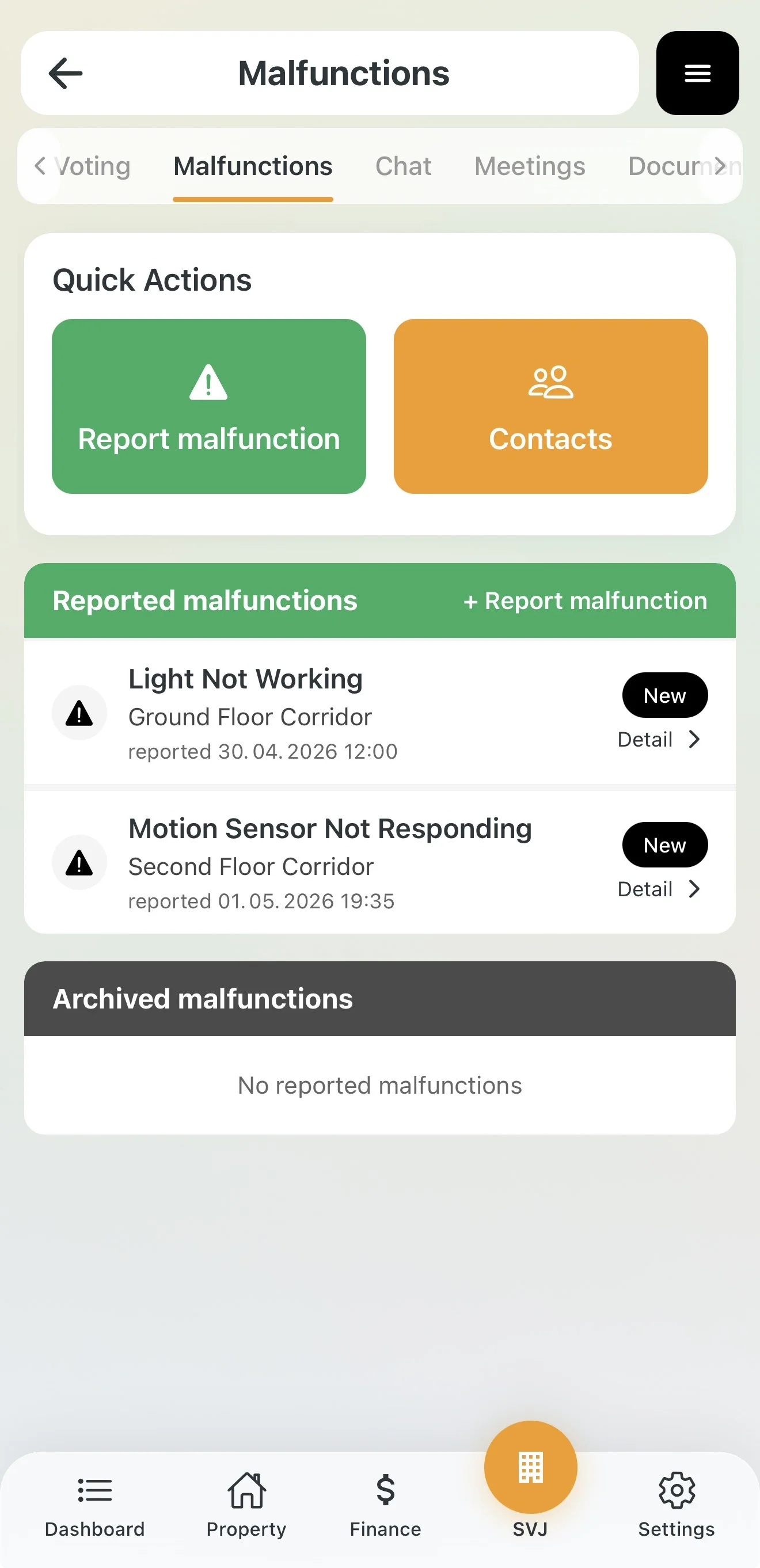
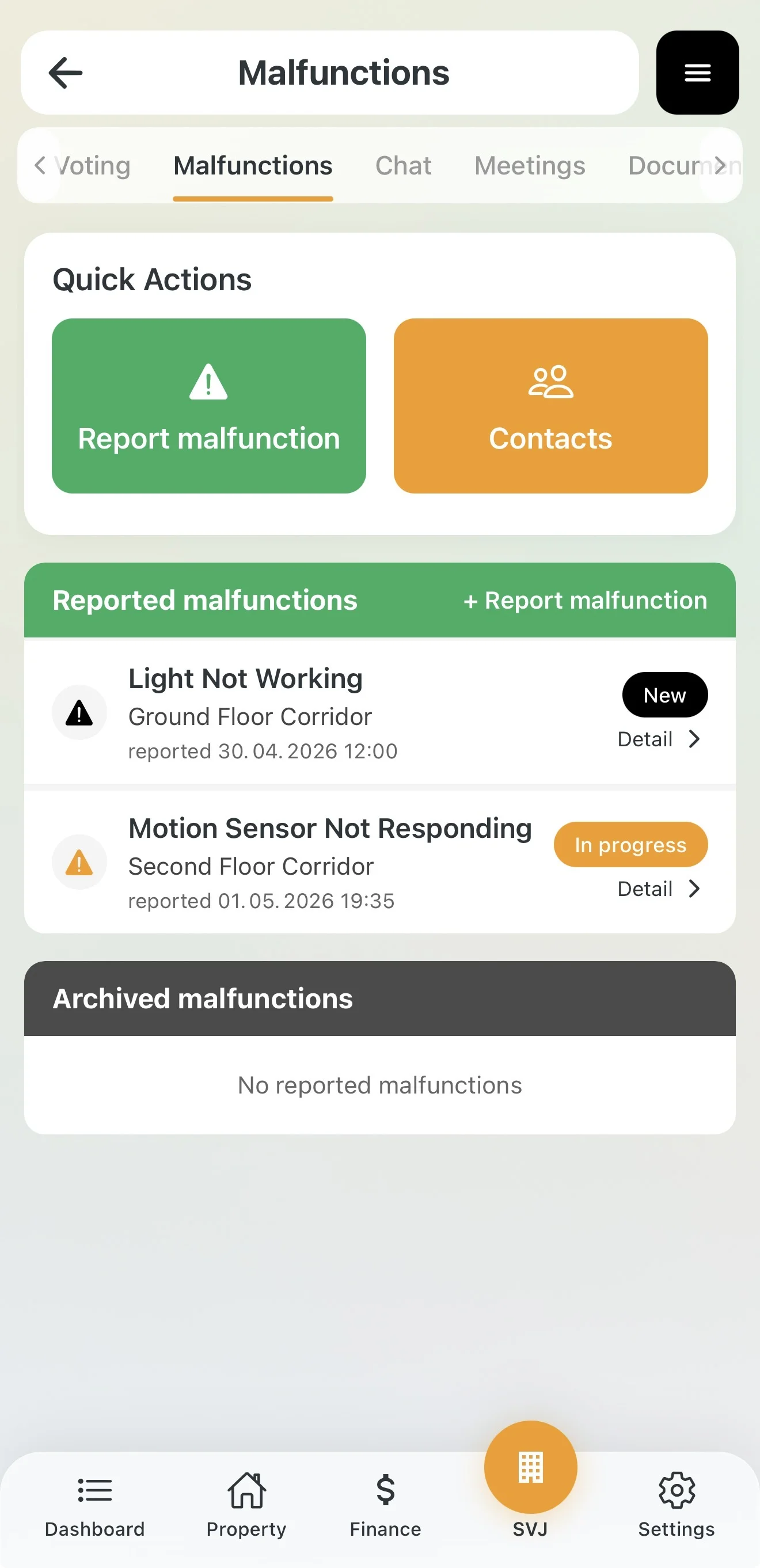
Tip: Once you change the status to Resolved or Closed, the issue automatically moves to Archived Issues, keeping your active view clear.
Forwarded issues: If you forward an issue to an external manager, its detail also shows the Delegated to manager card with its own Delegation status (see section 5).
3. Communication on an Issue
Sometimes you need to broadcast an update to all residents (e.g. about a non-functioning lift). Use the Issue Chat feature:
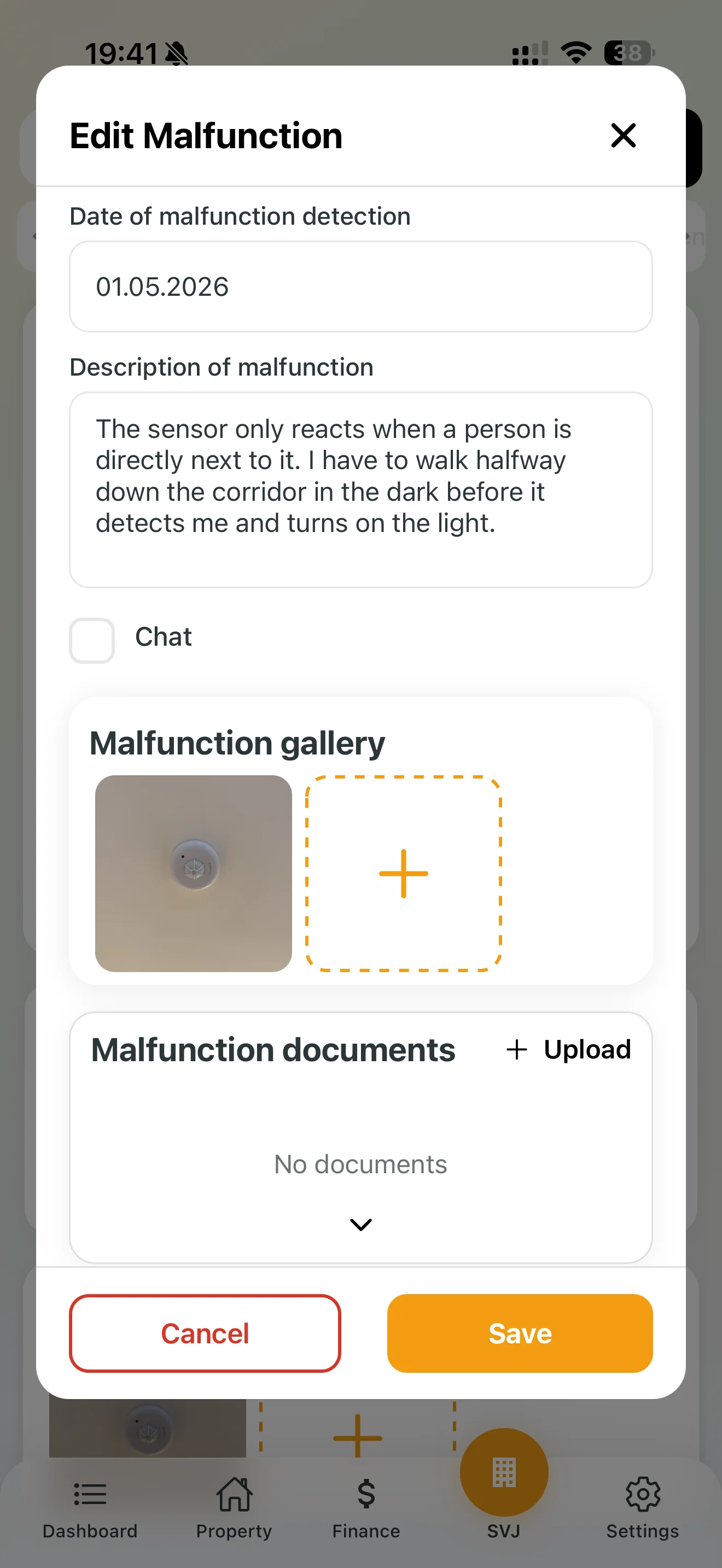
- In the issue detail, tick the Chat checkbox.
- This creates a communication thread directly linked to the problem.
- Write updates for all owners here (e.g. "Lift repair confirmed for tomorrow 10:00, estimated 3 hours").
- Others will also see these messages in their Chat tab.
4. Documentation and History
Every issue carries a history useful for invoicing or future reference:
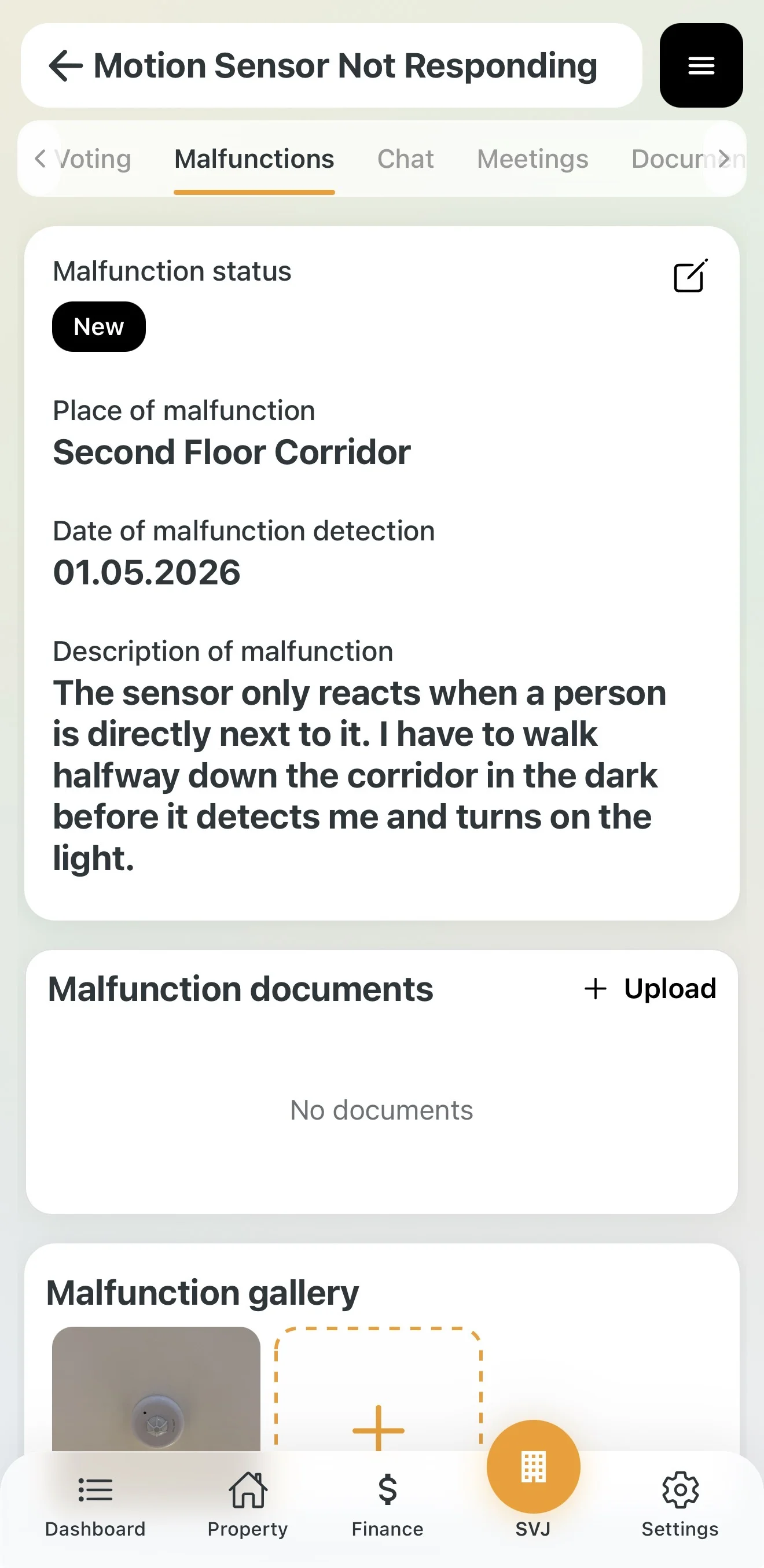
- Gallery: View photos from the person who reported the defect. You can add your own photos taken after the repair.
- Documents: Attach a handover report from the contractor or a scanned invoice.
5. Forwarding an Issue to an External Manager
If your HOA has an external manager connected in Domee.app (see Inviting an External Property Manager or Accountant), you can delegate an issue to them. The manager does not see all issues in the building, only the ones you forward. You stay in control of the whole repair.
How to forward an issue
- Open the Detail of the issue.
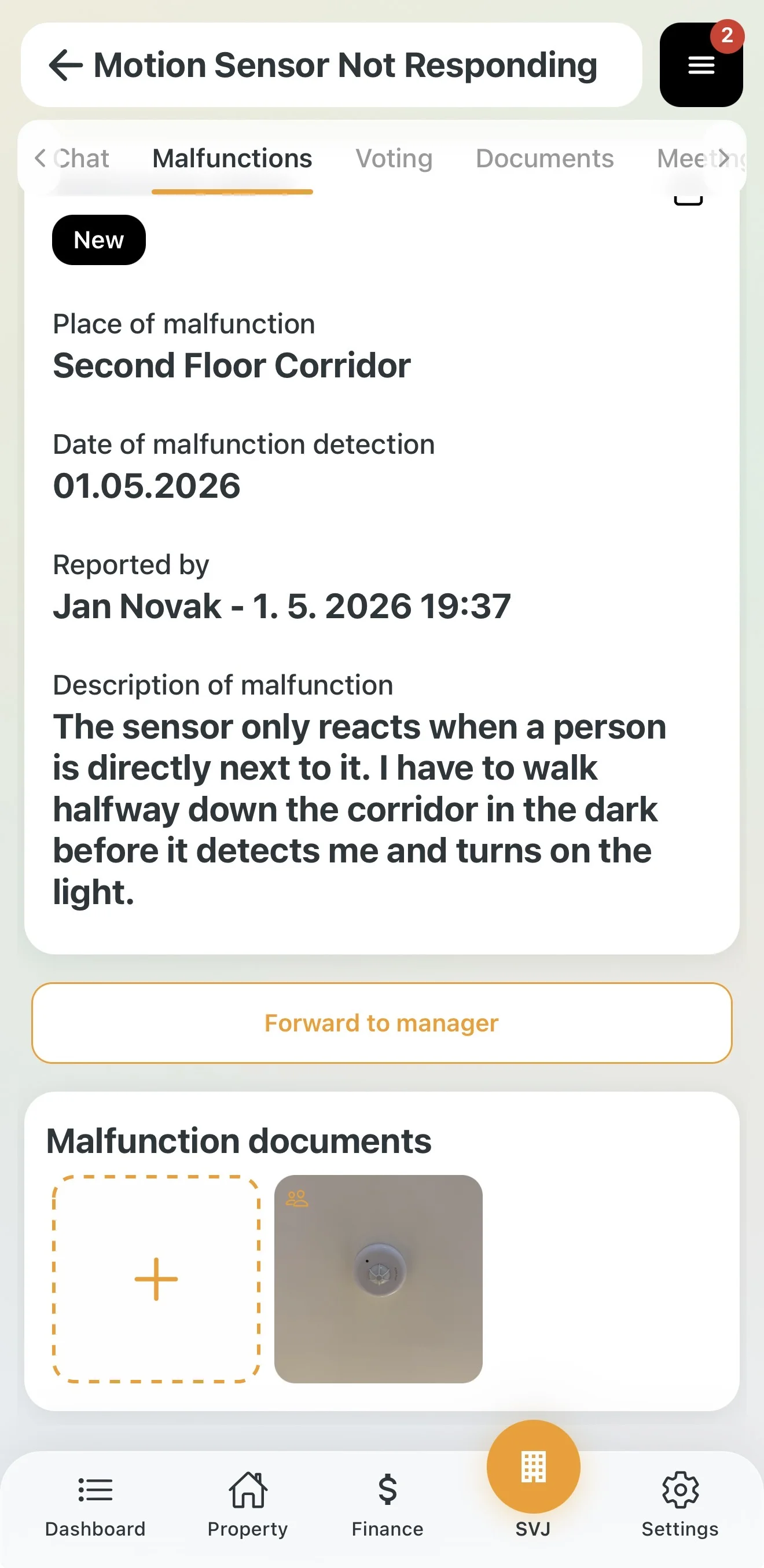
- Below the description, tap Forward to manager. The button only appears if your HOA has at least one manager connected.
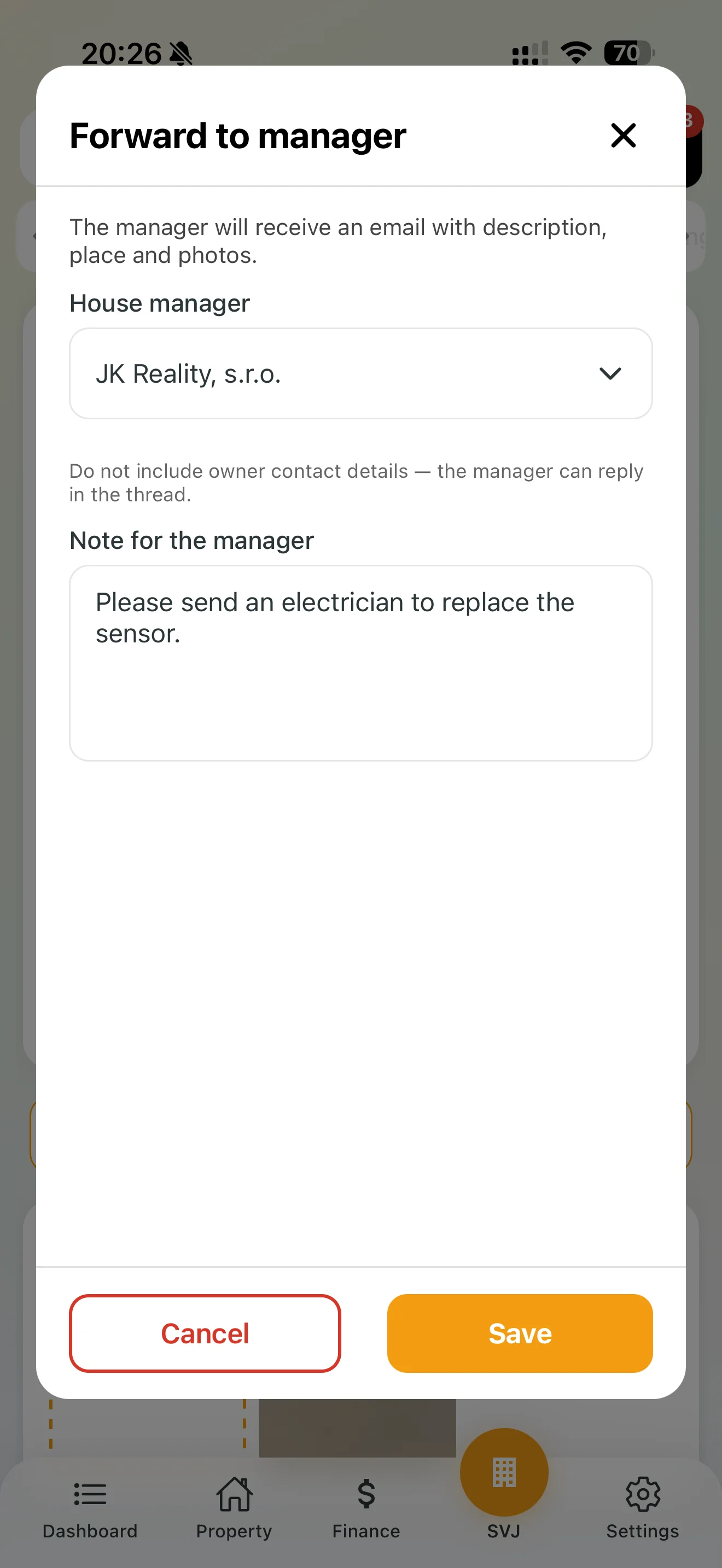
- The Forward to manager window opens. The House manager field shows the manager's name. If you have more managers connected, pick the one you want from the drop-down list.
- Optionally fill in the Note for the manager (e.g. "Please send an electrician to replace the sensor.").
- Tap the orange Save. If you do not want to forward the issue, close the window with the red Cancel.
The manager receives an email with the description, place and photos of the issue.
Important: Do not include owners' contact details in the note. The manager can reply directly in the issue thread.
What you see in a forwarded issue
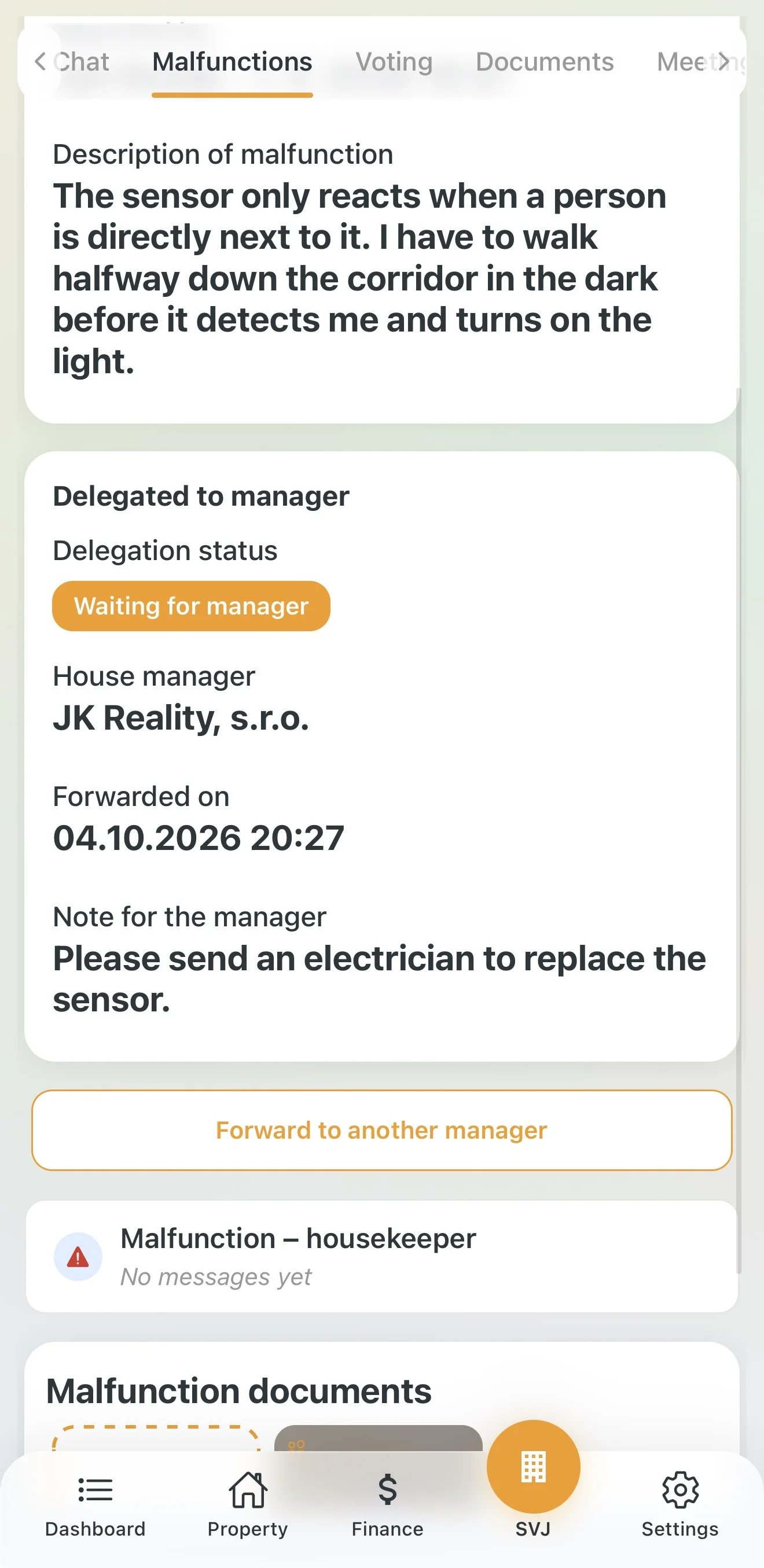
After forwarding, the issue detail shows the Delegated to manager card:
- Delegation status: the current state of the handover (see below).
- House manager: who you forwarded the issue to.
- Forwarded on: when you forwarded the issue.
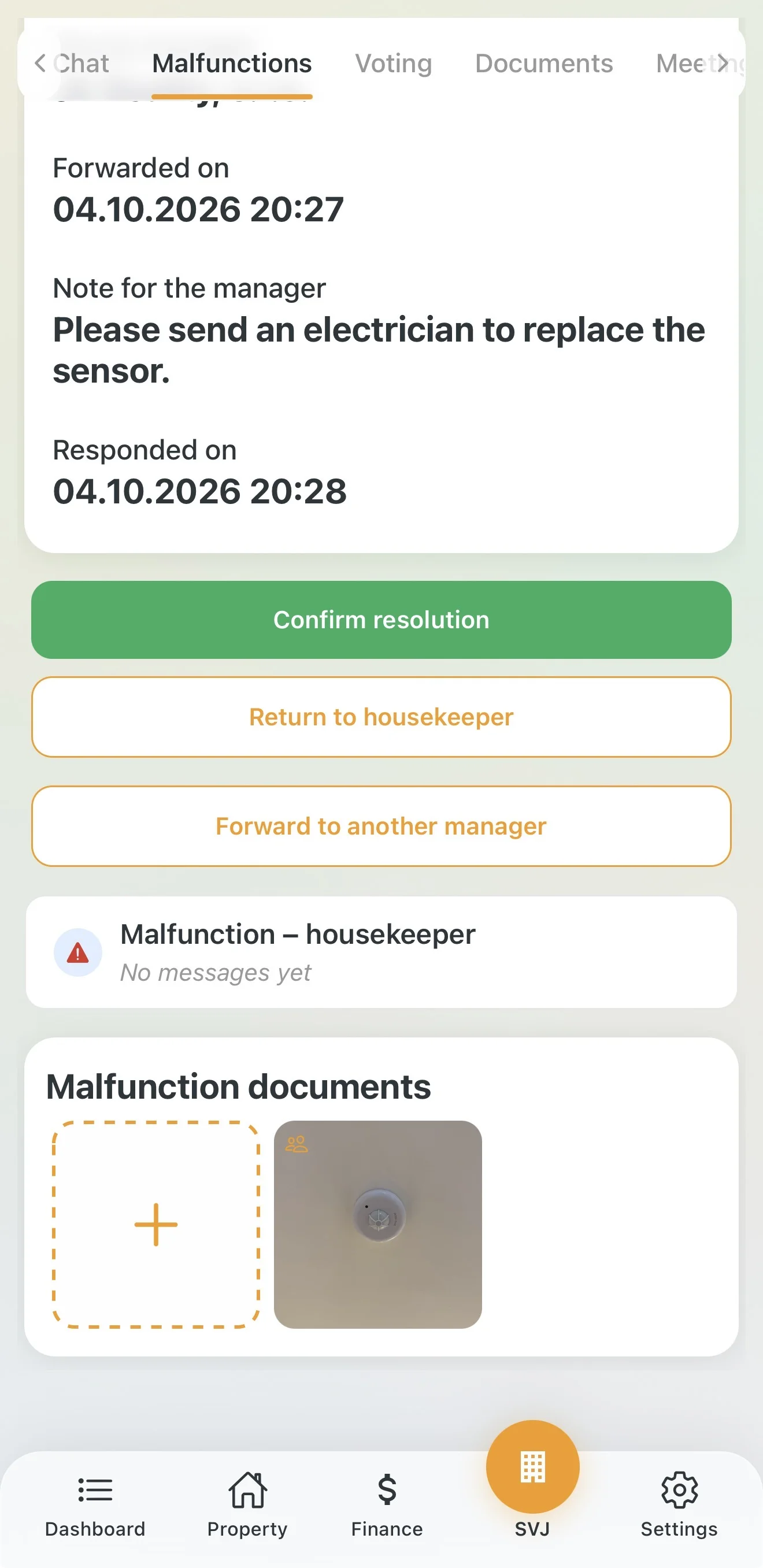
- Note for the manager: your message to the manager.
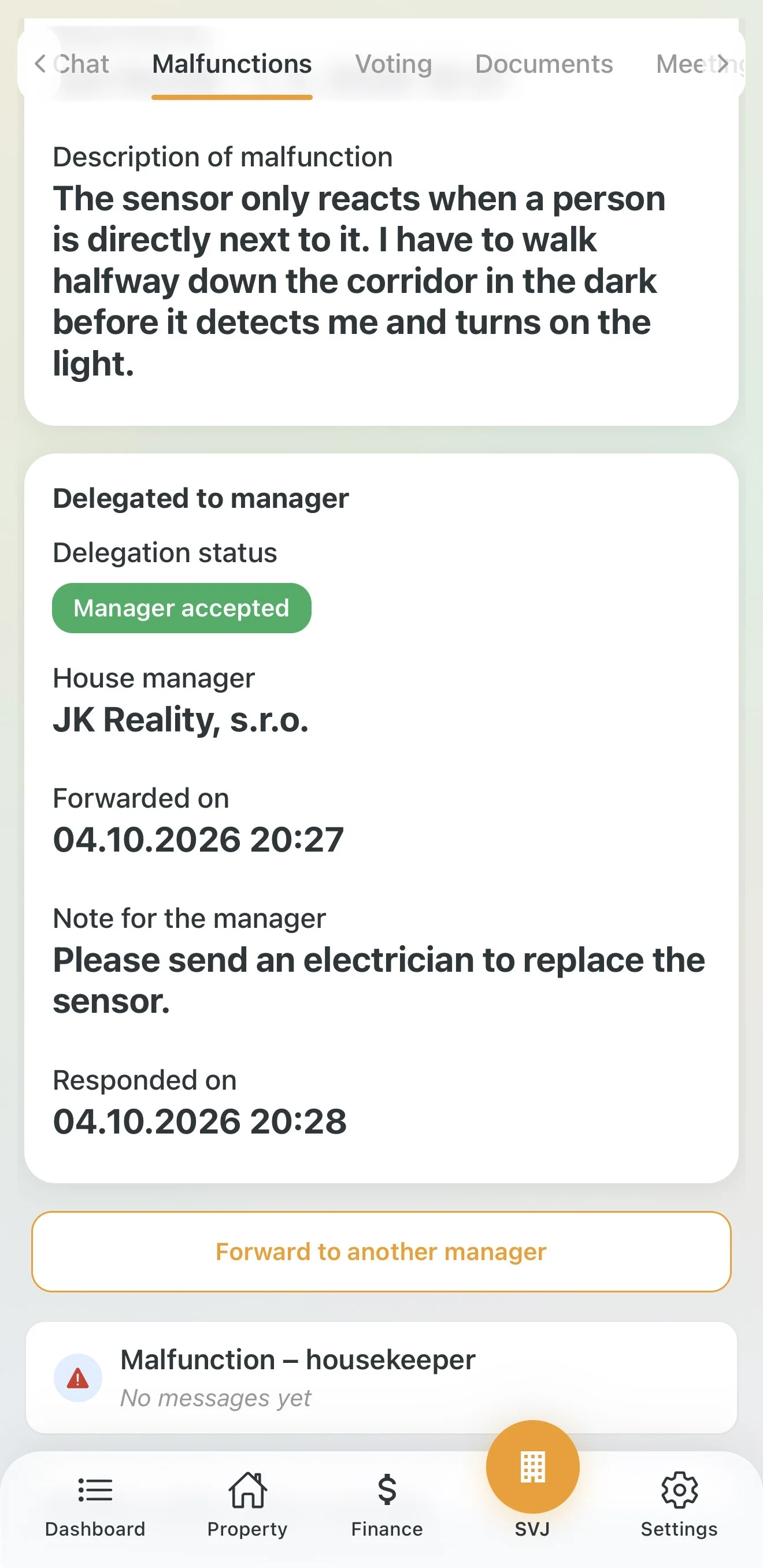
- Responded on: when the manager accepted the issue. It appears only after acceptance.
Below the card you will find the Forward to another manager button and the Malfunction – housekeeper thread for talking to the manager about this issue.
Delegation statuses
- Waiting for manager (orange label): You forwarded the issue, the manager has not accepted it yet.
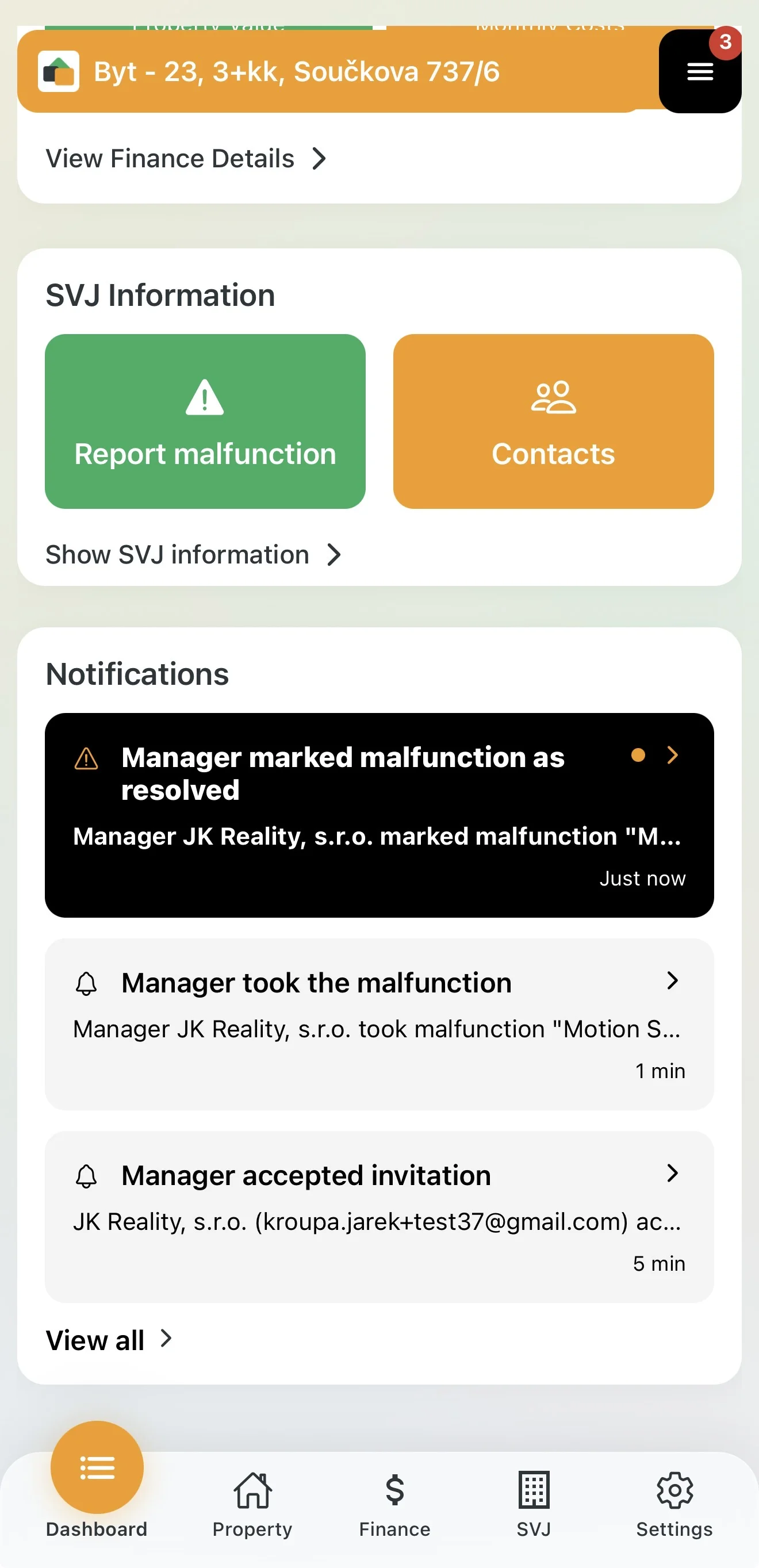
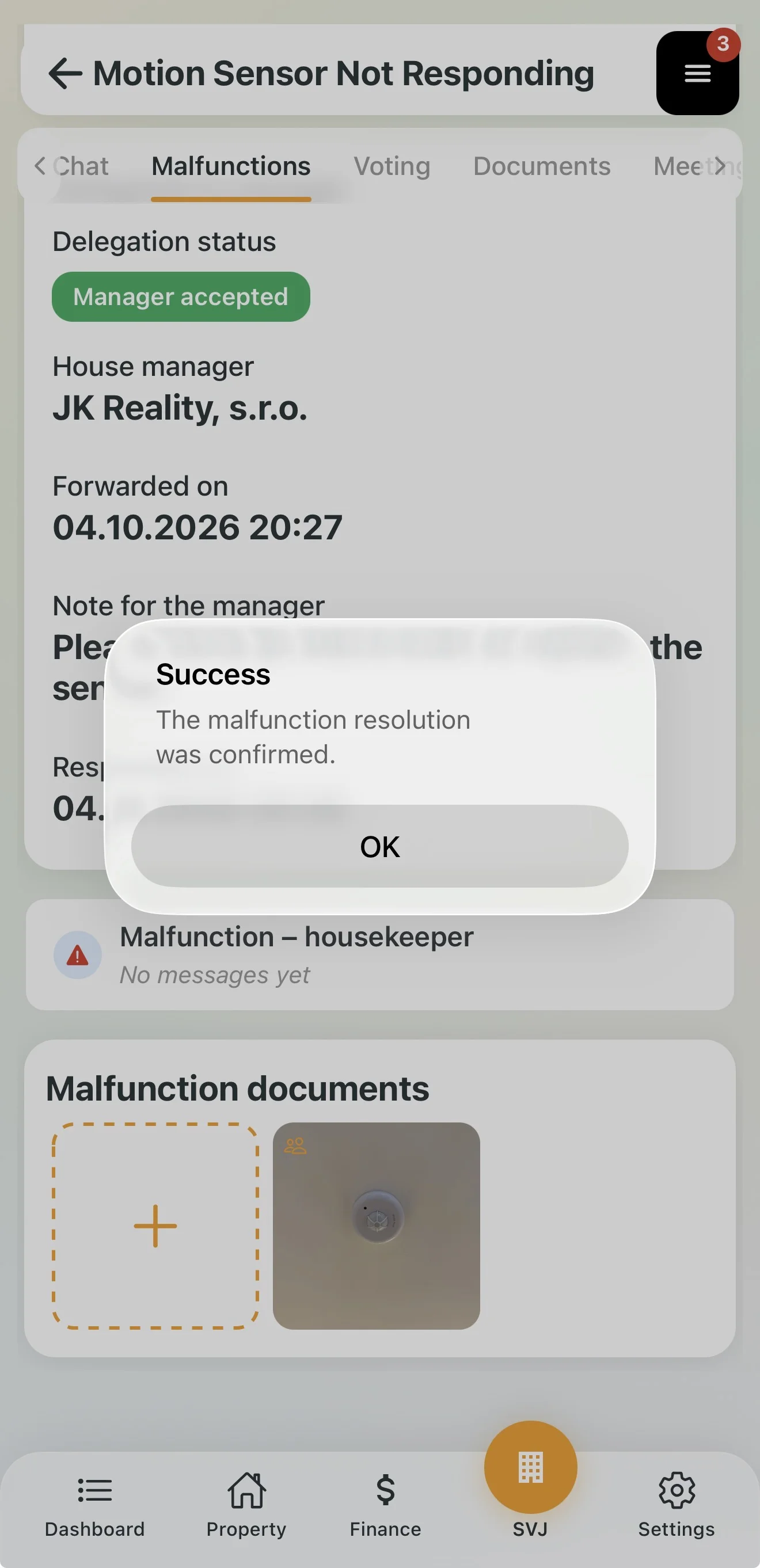
- Manager accepted (green label): The manager accepted the issue in their app. You get the notification Manager took the malfunction on your Dashboard. The issue status automatically switches to In progress.
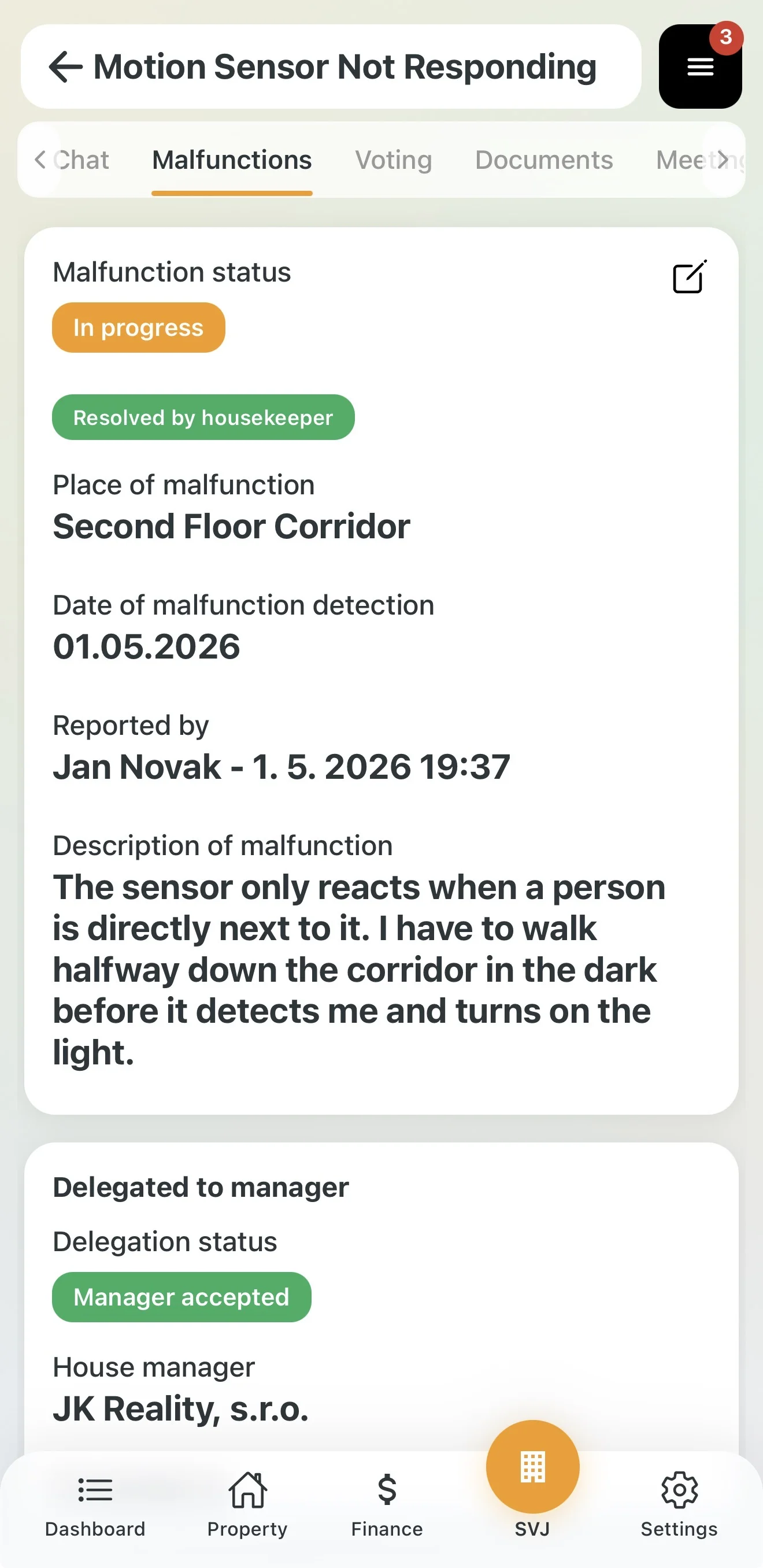
- Resolved by housekeeper (green label below Malfunction status): The manager marked the issue as resolved. You get the notification Manager marked malfunction as resolved.
Confirming or returning the repair
The board must confirm an issue resolved by the manager:
- Tap the notification Manager marked malfunction as resolved, or open the issue Detail. Below Malfunction status you will see the Resolved by housekeeper label.
- Check that the repair was done properly (e.g. on site).
- Below the Delegated to manager card, choose one option:
- Confirm resolution (green button): The repair is fine. You will see the confirmation "The malfunction resolution was confirmed." The issue status changes to Resolved and the issue moves to Archived Issues.
- Return to housekeeper: The repair is not fine. The issue goes back to the manager to finish.
- Forward to another manager: You hand the issue over to a different manager.
Important: An issue resolved by the manager is not archived automatically. Until you confirm the resolution, it stays among the active issues.
Tip: If you return the repair, write in the Malfunction – housekeeper thread what still needs to be done.
Why does this matter? All residents can see in the app that the board is on top of it and the repair is underway — dramatically reducing questions like "When is this going to be fixed?".