

Guide: First Steps in the App and Account Setup
Welcome to Domee.app! This app simplifies the management of your home and communication within your housing association. Before you can take full advantage of all features, you need to download the app and register quickly.
Download the App
You can download the app to your mobile phone in the usual way:
- For iPhone: From the App Store.
- For Android: From Google Play.
Simply search for "Domee.app" and tap the install button.
1. Home Screen and Sign-In Options
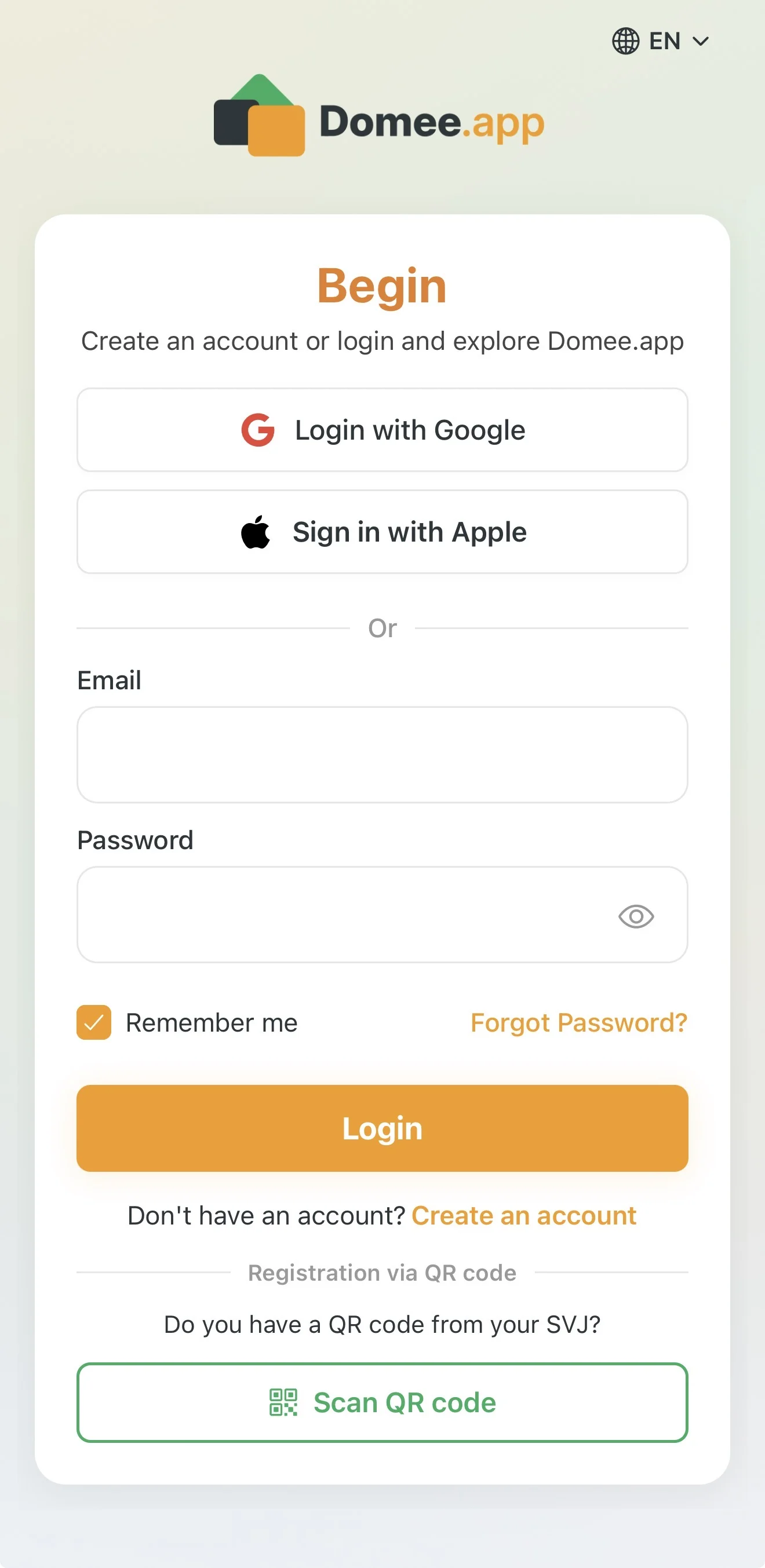
When you first launch the app, you will see a screen with the heading Get Started. Here you have several ways to access the system:
- Sign in with Google: The fastest option — no need to remember an extra password.
- Sign in with Apple: An alternative for iPhone users.
- Email and password: If you already have an account, enter your Email and Password and tap the orange Sign in button.
- Registration via HOA QR code: If the board gave you an onboarding leaflet with a QR code, tap the green Scan QR code button at the bottom of the screen and scan the code. The app will take you straight to registration with your HOA pre-selected.
Tip: If you forget your password, tap the orange Forgot password? link and the system will immediately send you instructions to reset it.
2. Creating a New Account (Standard Registration)
If you are opening the app for the first time and don't have an account, follow these steps:
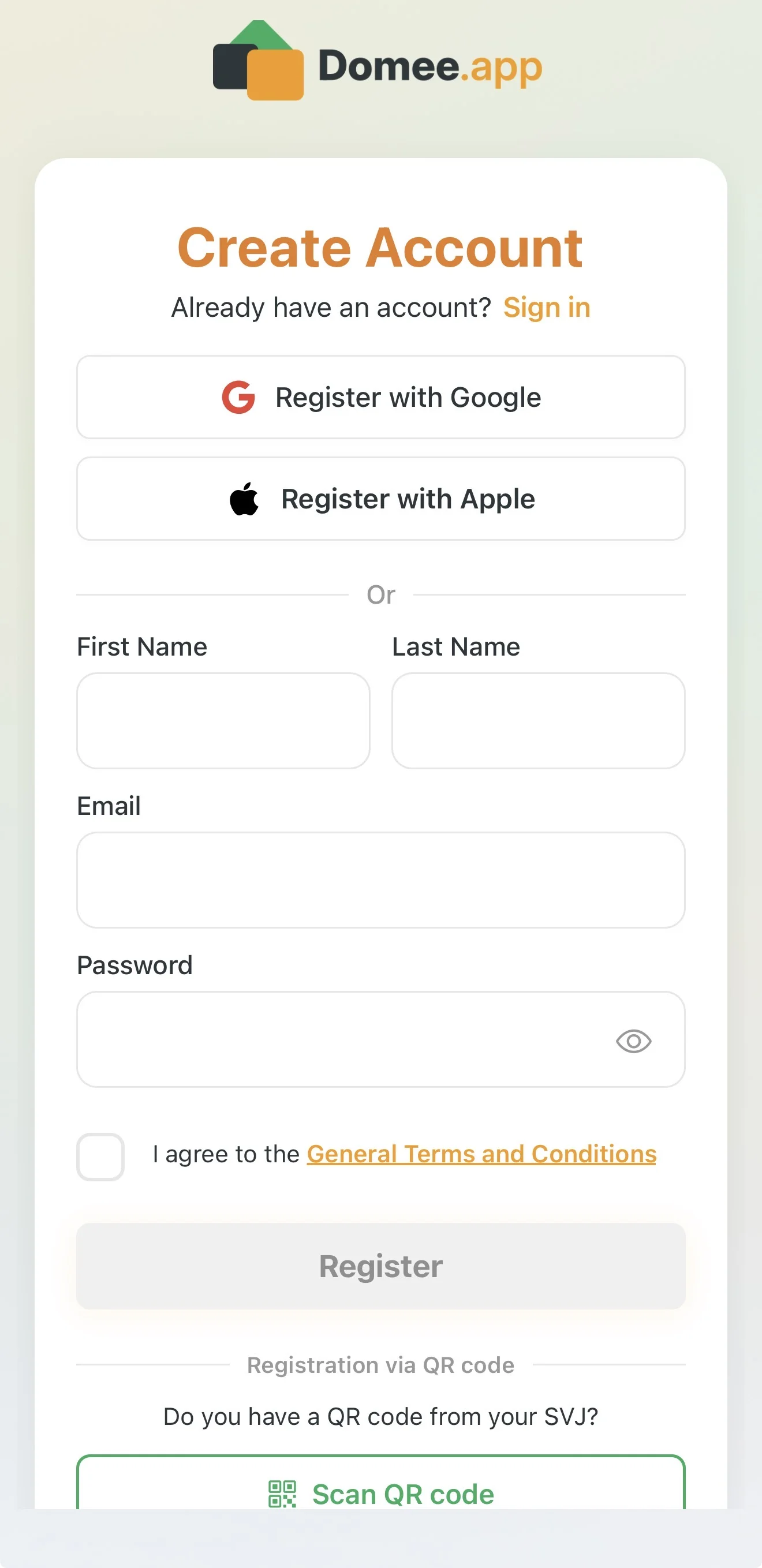
- On the home screen, tap the orange Create an account link.
- A Create account form will appear. Fill in:
- First name and Last name (your neighbours and the board will see these details).
- Email (used for signing in and important notifications).
- Password (choose a strong password; tap the eye icon in the field to reveal it).
- Terms and conditions: Before finishing, check the box confirming you agree to the general terms and conditions.
- Tap the Register button.
After registration the app takes you through an initial setup wizard where you specify your role and enter details about your property.
Important Information
- Storage limits: After registering on the basic FREE plan, you have 50 MB of space for your personal documents and photos. If you need more space, you can upgrade to PREMIUM (10 GB).
- No more group emails: All discussion, issue reports and voting take place directly inside the app in structured chats. No more wading through overflowing inboxes.
- App language: The language follows your phone's system settings. You can change it at any time in Settings → Language.
Next step after registration is setting up your profile and HOA: Onboarding – Profile Setup.