

HOA Communication & Chat
Forget paper notes on bulletin boards or mass emails. The Chat module in Domee.app provides fast, clear and secure communication between residents and the HOA board. All discussions take place in structured threads so that important information is never lost.
1. Global Settings and Restriction Management (For the Board)
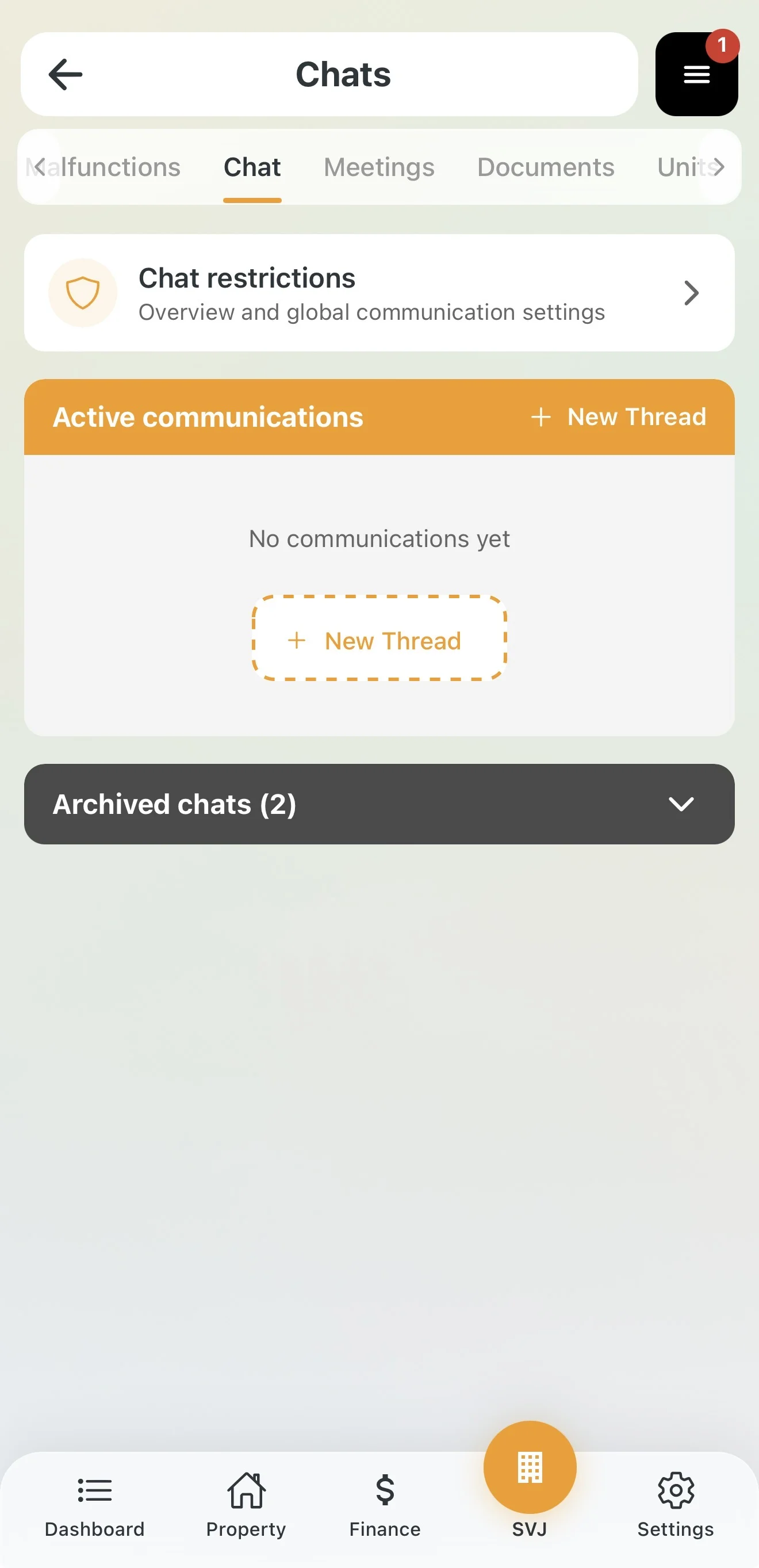
The HOA board decides who can communicate with whom in the building. All settings are found directly in the chat module:
- In the bottom menu go to the HOA section.
- In the top tab bar select Chat.
- Tap the Chat restriction management card (Overview and global communication settings).
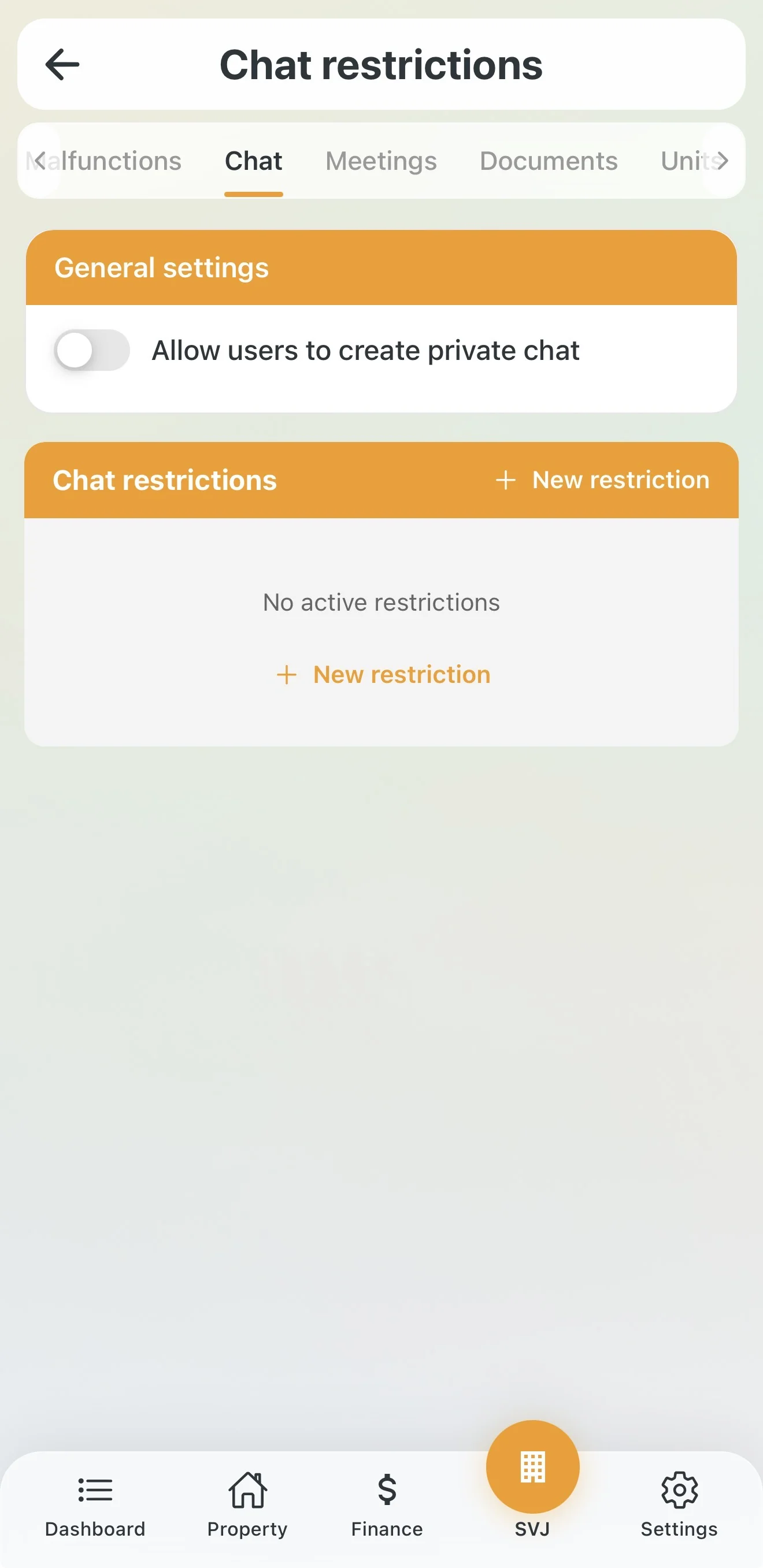
General settings
This section contains the key toggle Allow users to start private chats:
- On: Owners can start private discussions with each other (e.g. neighbours on the same floor, garage owners).
- Off: Neighbours cannot message each other. Chat then serves primarily for board-to-owner communication.
2. Advanced User Restrictions
If an owner behaves inappropriately in discussions, the board does not need to close the entire chat. It can restrict only that specific user.
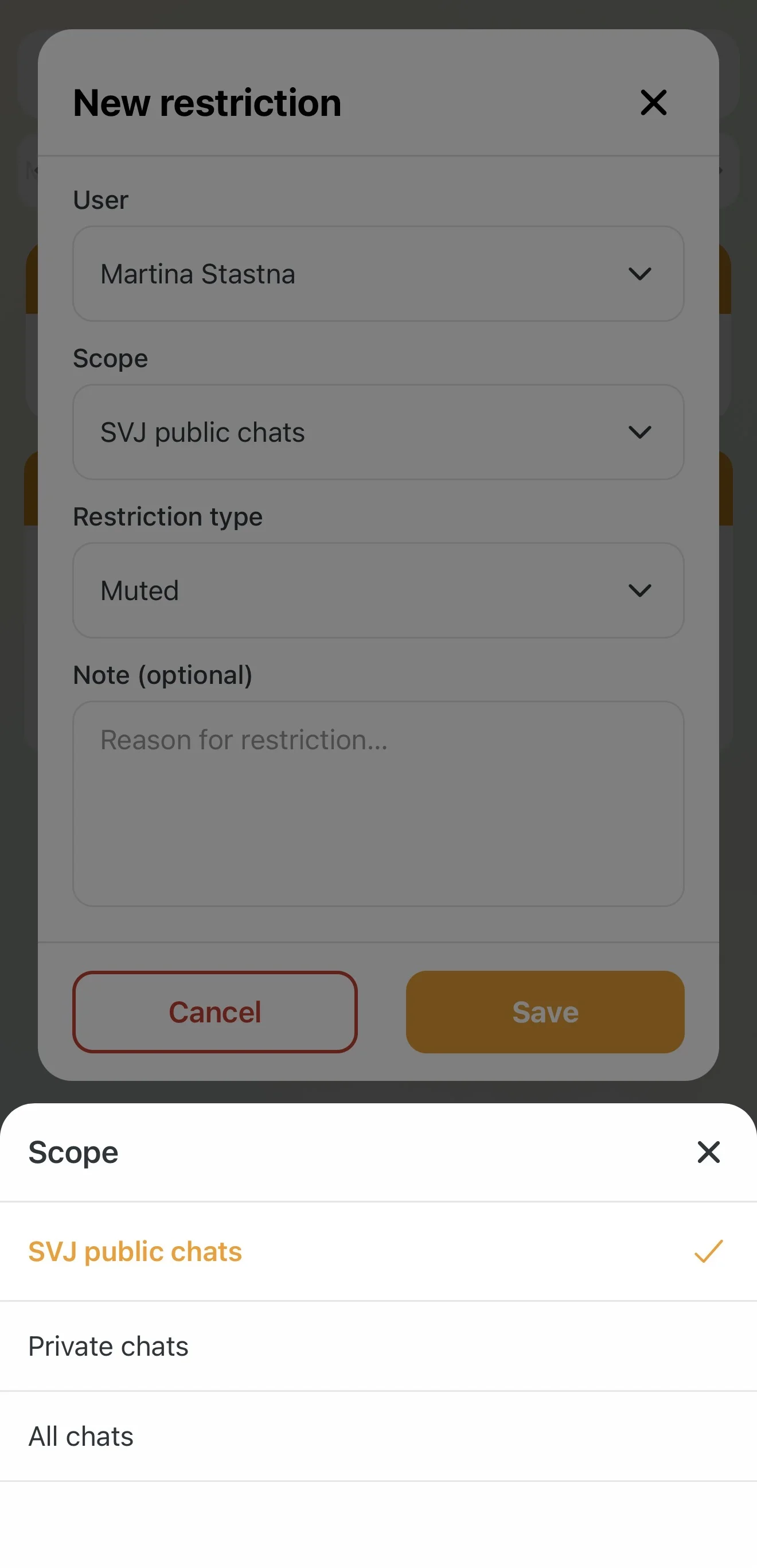
In the Chat restriction management section scroll down to Chat restrictions and tap the gold + New restriction button. Fill in the following parameters:
- User: Select the specific owner from the list.
- Scope: Choose where the restriction applies:
- Public HOA chats — affects discussions accessible to the whole building.
- Private chats — affects closed chats intended for selected groups.
- All chats — full restriction across the entire app.
- Restriction type: Choose the severity:
- Read only — the owner can see the chats but cannot write or reply.
- Exclusion — the owner cannot see the chat at all and it disappears from their overview.
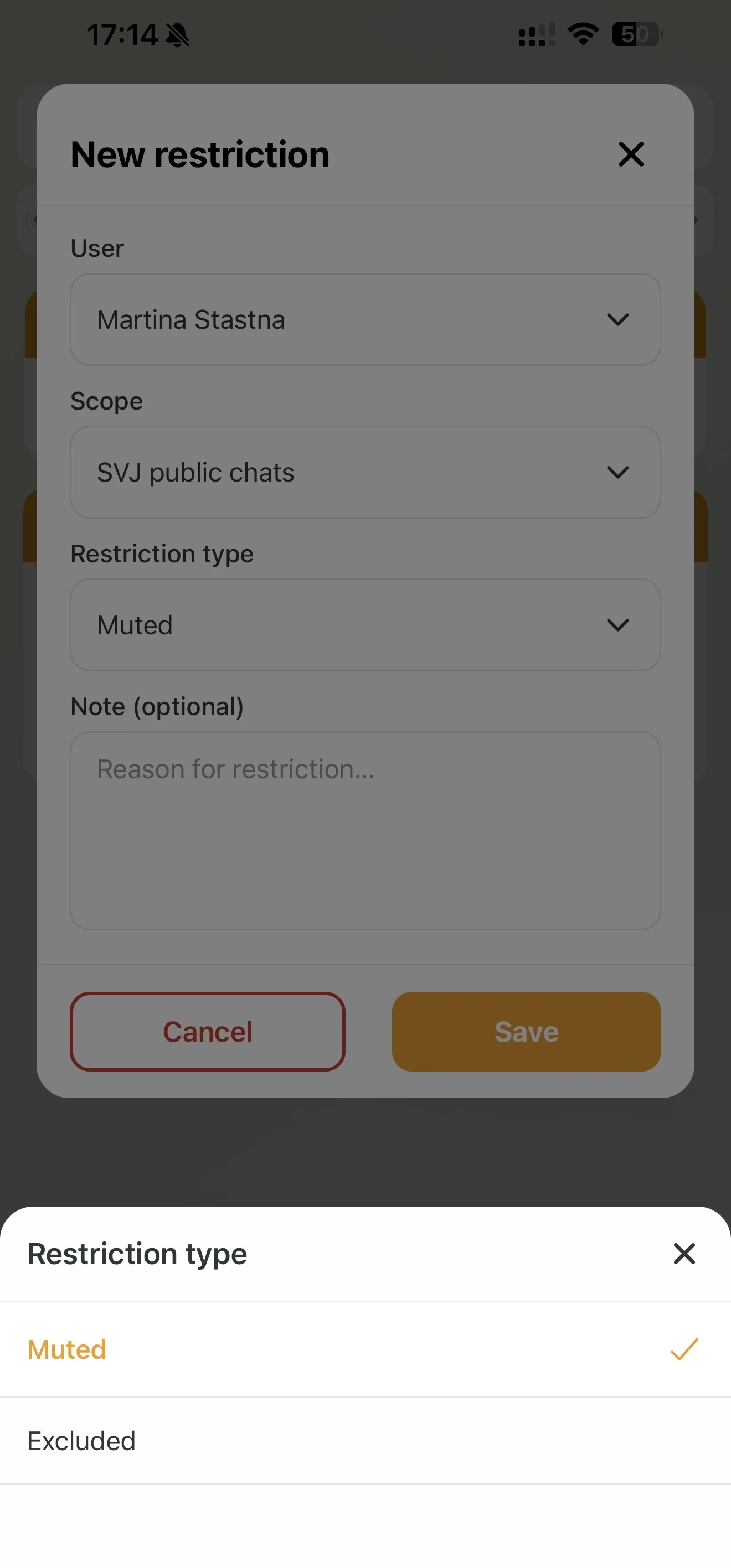
Important: If the board chooses exclusion from all public chats, the owner will not see any newly created threads — including chats set up to handle a specific emergency in the building.
3. Quick Restriction Directly from a Discussion
If you need to act immediately during an ongoing debate, you do not need to go to the administration:
- Open the specific running discussion.
- Tap directly on the name or message of the user who is breaking the rules.
- In the menu that appears, choose:
- Mute (cannot write) — switches the user to read-only mode in this specific chat.
- Remove from chat — removes the user from that specific thread entirely.
4. Creating and Editing Communication Threads
Board members can start a new conversation by tapping the + New Thread button in the Active Communication section.
Chat types
- Public: The message is automatically visible to all owners in the HOA. Ideal for announcements about water shutoffs, elevator maintenance or meter reading dates.
- Private: Select specific participants with whom you want to address a particular matter (e.g. a billing question with a specific unit).
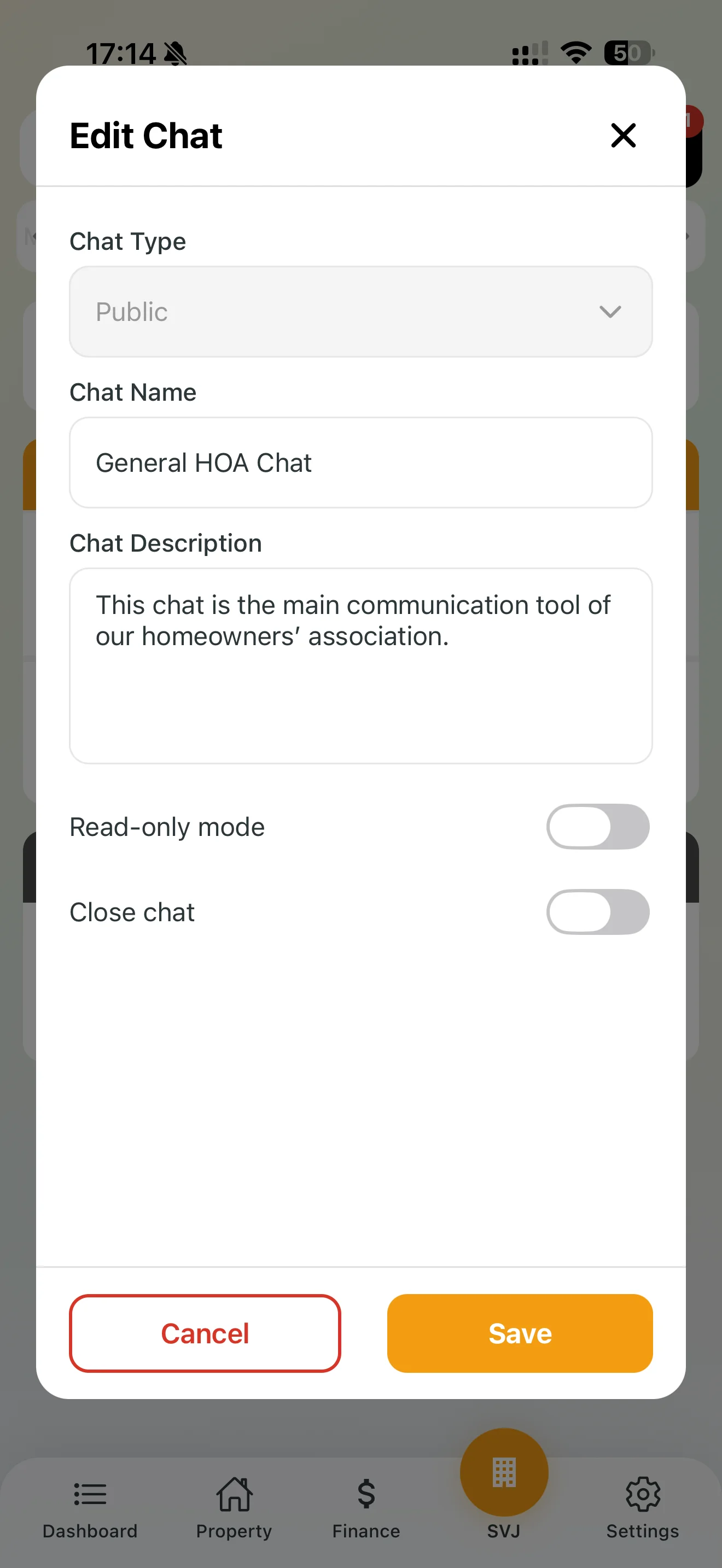
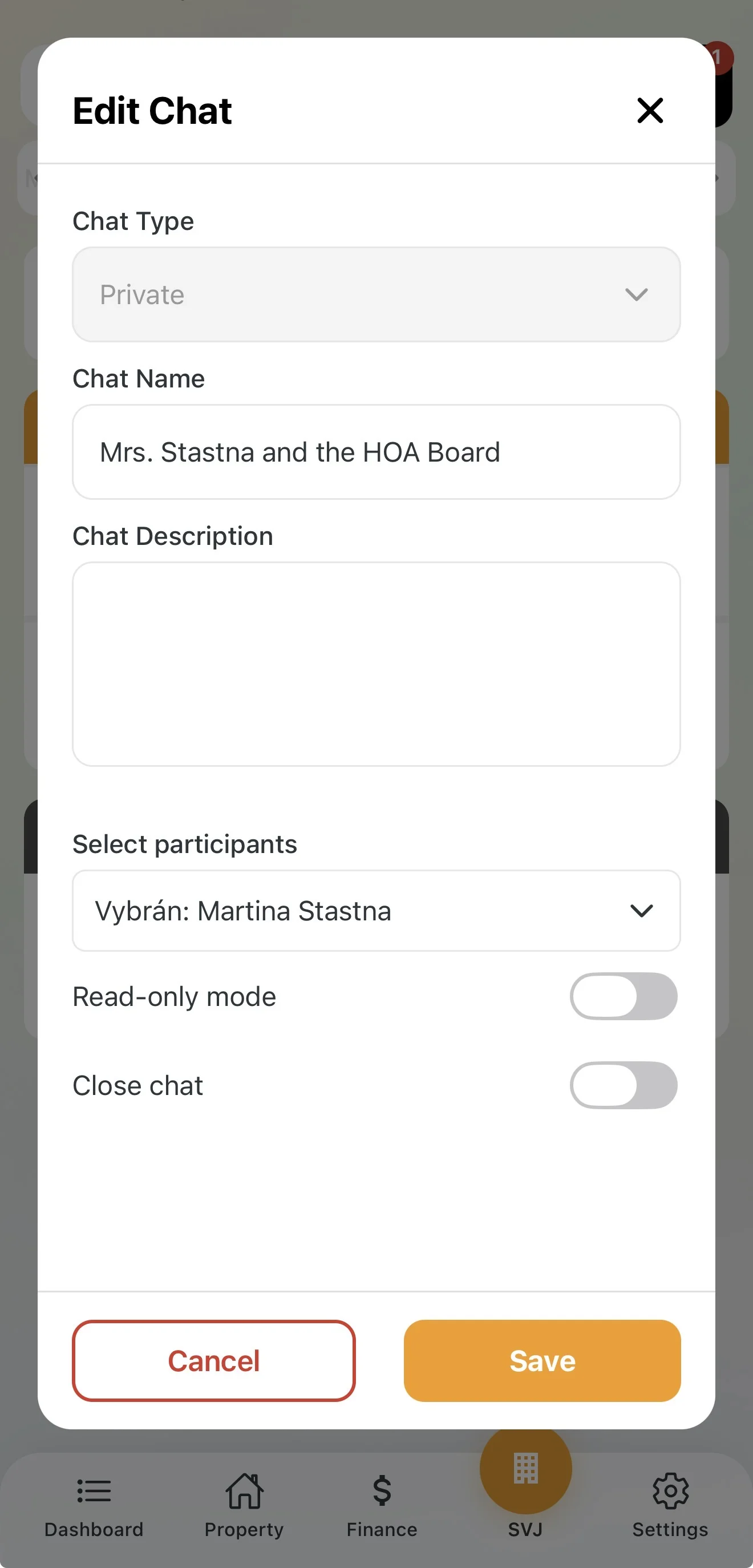
Selecting recipients for a private chat and filtering
When creating a private chat you do not need to select each participant manually. The board can quickly filter recipients in three ways:
- Individuals: Search for and add specific people from the owner list.
- Properties: If the HOA manages multiple properties, select an entire property — all owners from that building are added to the chat automatically.
- Units: Filter recipients by the type of unit they own — apartment owners, garage owners or non-residential unit owners.
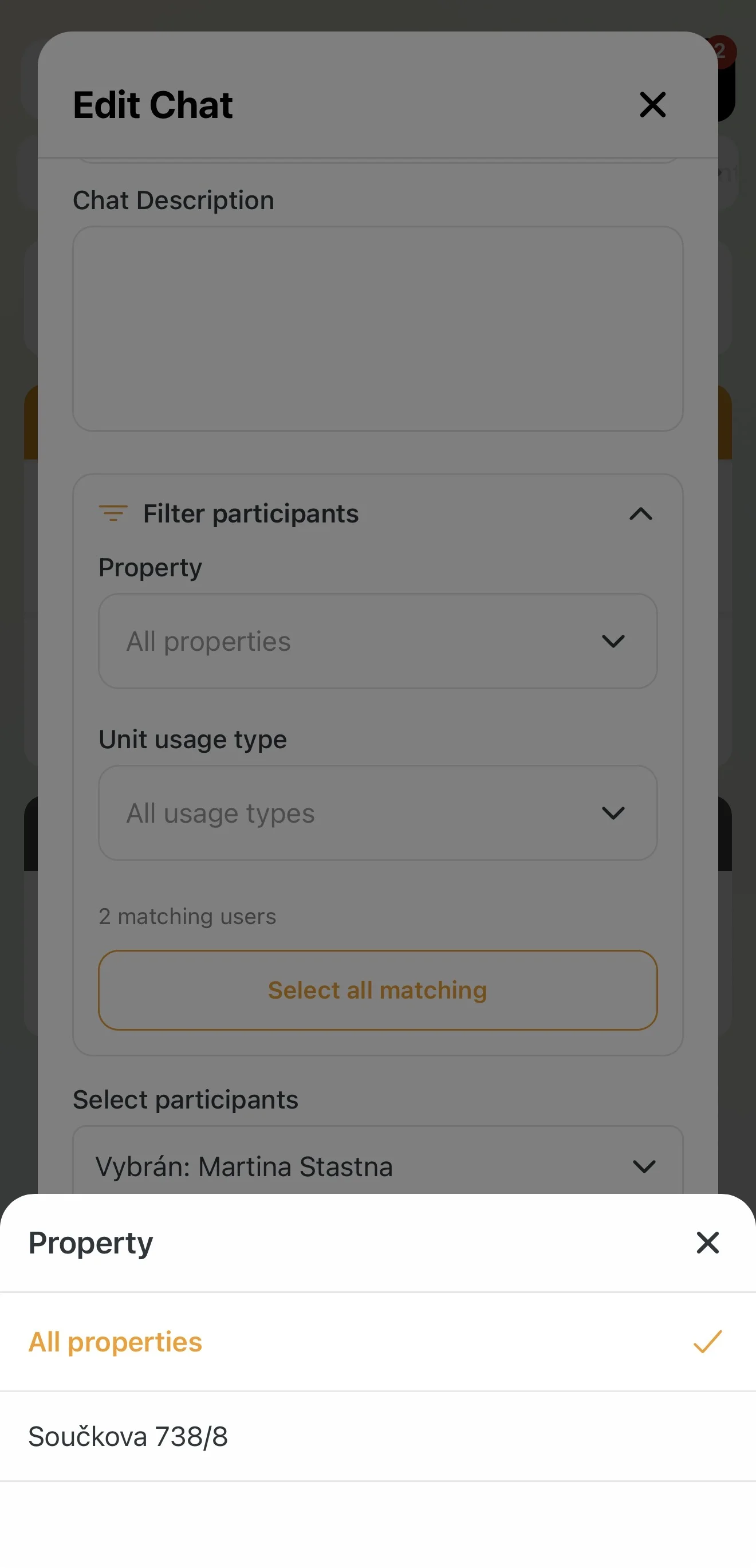
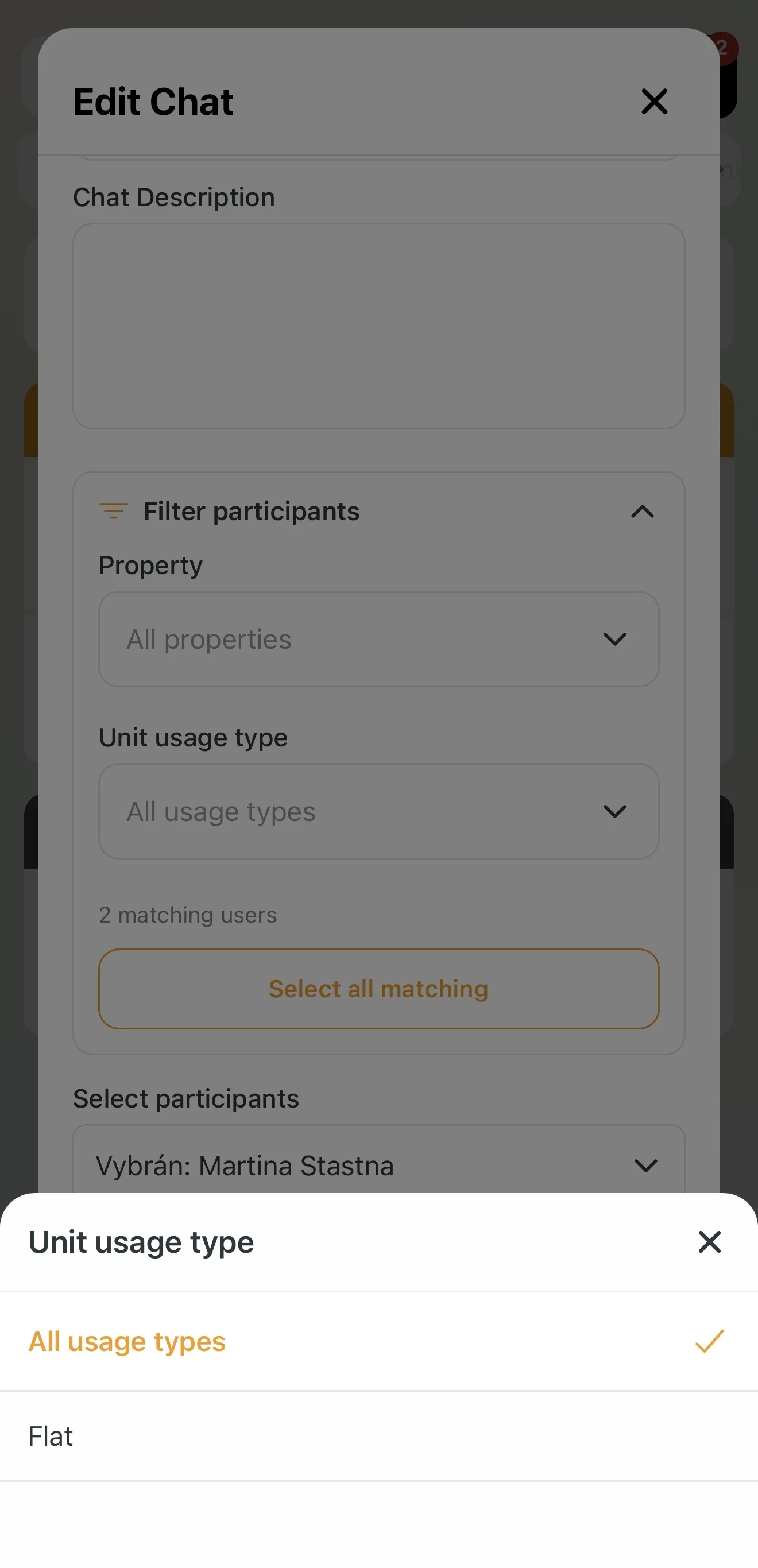
Tip: Filtering by unit type is useful for quickly reaching all garage owners when organising maintenance — without having to scroll through the entire list of residents.
Editing a chat and one-way announcements (Read-only mode)
An existing chat can be turned into a simple "notice board" at any time, where no one else can post comments:
- In the chat list swipe the selected thread to the left.
- Tap the orange Edit button.
- Enable the Read-only mode toggle.
The chat then works as an official information channel of the board — owners can see the message but the text input field disappears and they cannot reply.
5. Communication Flow and Archiving
- Create: Fill in the Chat name (subject) and Chat description (opening message), select participants if needed and save.
- Notifications: Once sent, recipients receive an immediate push notification on their mobile phone.
- Replies: Users can respond directly in the app. The full conversation history stays neatly stored under the thread.
- Archiving: Once a topic is resolved, swipe the chat left in the list and tap the red Close chat button. The chat moves to Archived chats so the Active communication section stays tidy.
Tip: Use public chat for important operational announcements. For reporting defects, use the Issues module — communication there is tied directly to the specific repair.